The CRM that works with SYSPRO
We take what SYSPRO already knows, and your sales and marketing needs, and organize them under one simple process, TIPS, to find, convert and keep customers. SYSPRO stays the system of record.
What SalesV2 reads from SYSPRO
Read through SYSPRO Torque. Nothing is written back into SYSPRO, and your estimators keep quoting where they quote today.
Customers
Every customer with its code, salesperson, addresses and date of last sale.
Contacts
The people you keep in SYSPRO Contact Management, with their email and phone.
Quotations
Status, value, expiry date, salesperson, and the sales order the quotation became.
Sales orders
Status, value, order date and required ship date, open and complete.
Your mailbox
RFQs and customer replies from Microsoft 365, filed against the customer they came from.
The plays that run on your SYSPRO data
Every request answered, every quotation chased to the sales order, every quiet customer noticed. You call the play, SalesV2 runs it, you approve before anything is sent.
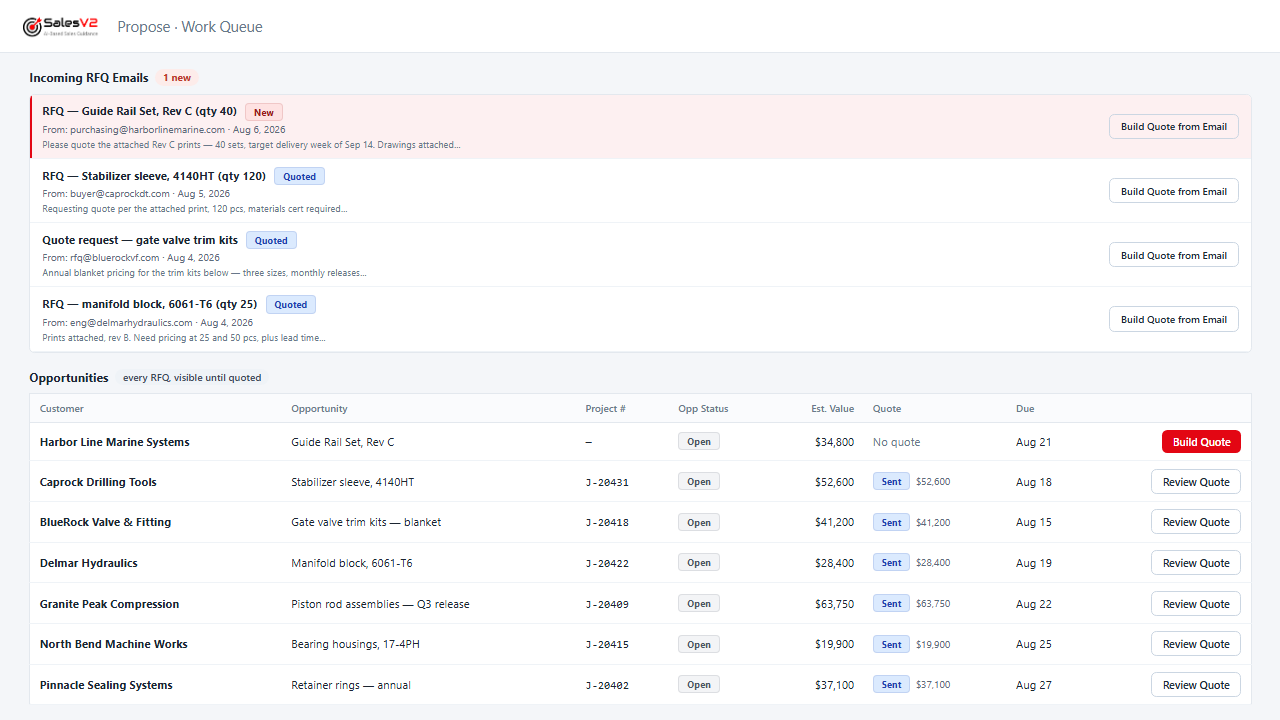
Reads the RFQ email, files it, assigns it and sends the acknowledgement under your rules, before anyone opens the inbox.
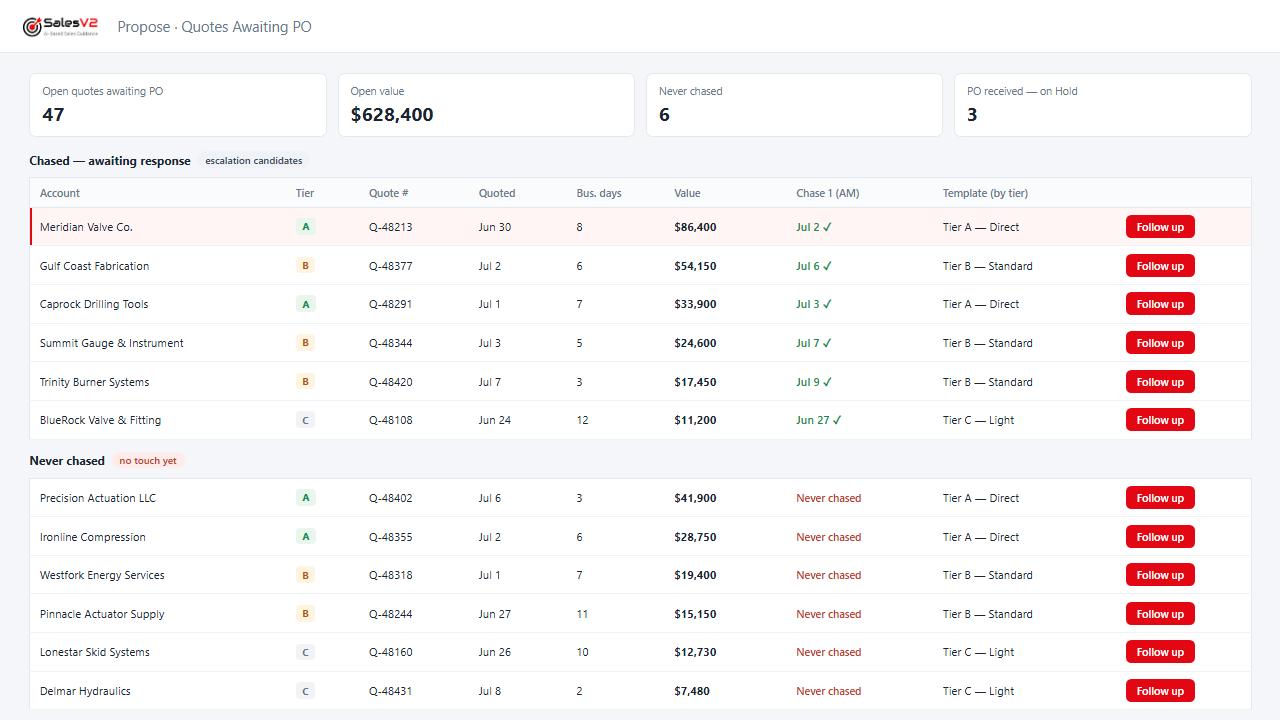
Lists every quote that never came back as a PO, drafts the follow-up, and sends it after you approve.
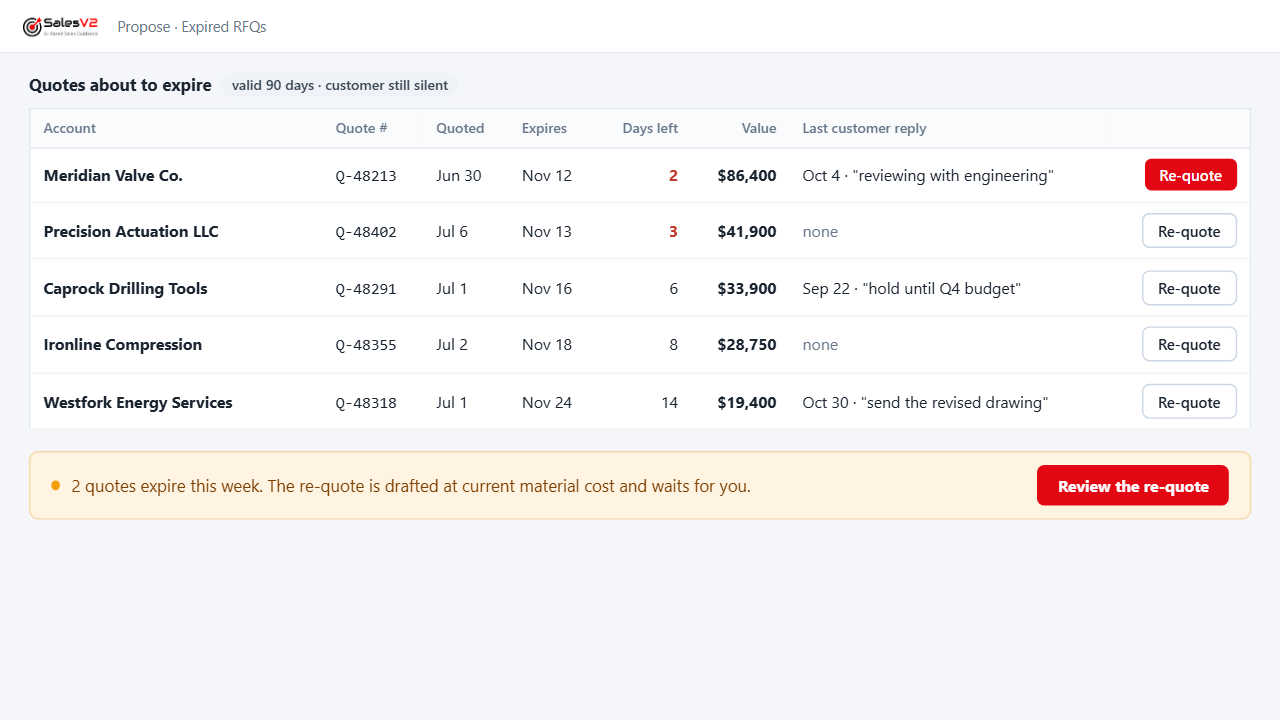
Flags the quotes reaching their expiry date with the customer still silent, so you re-quote before you lose them.
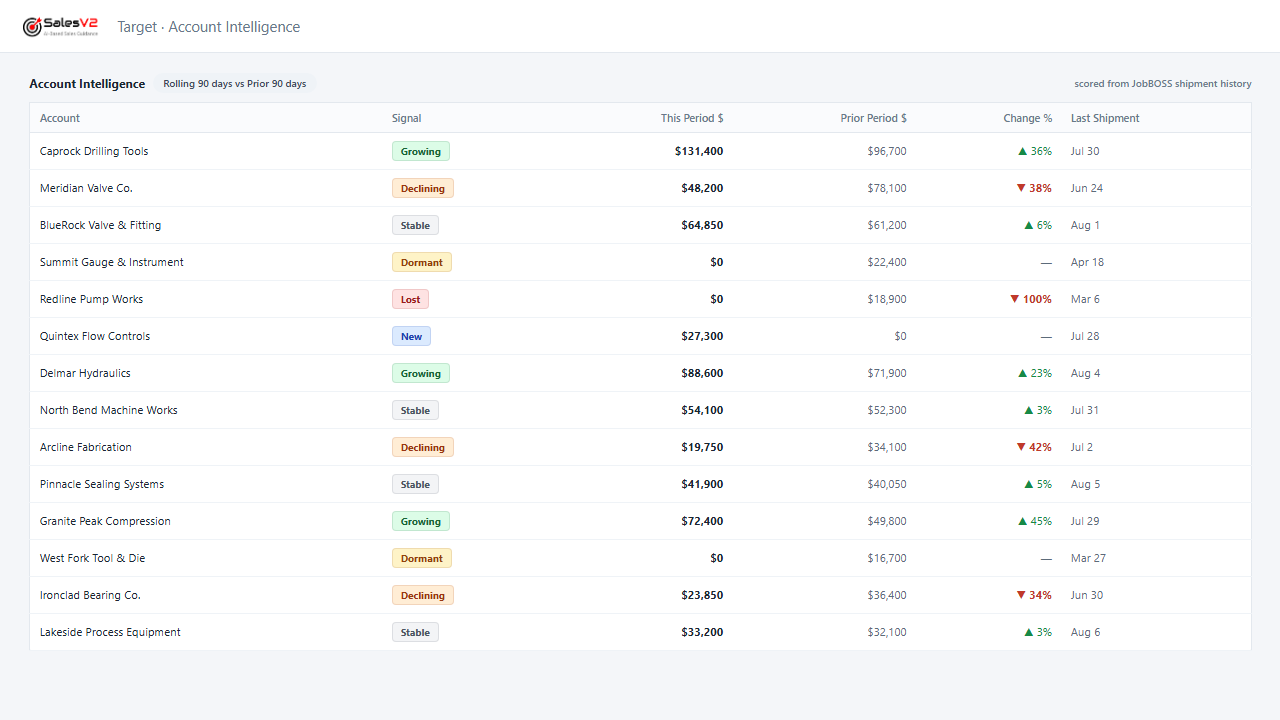
Flags the account whose orders are tapering off while a phone call can still turn it around.
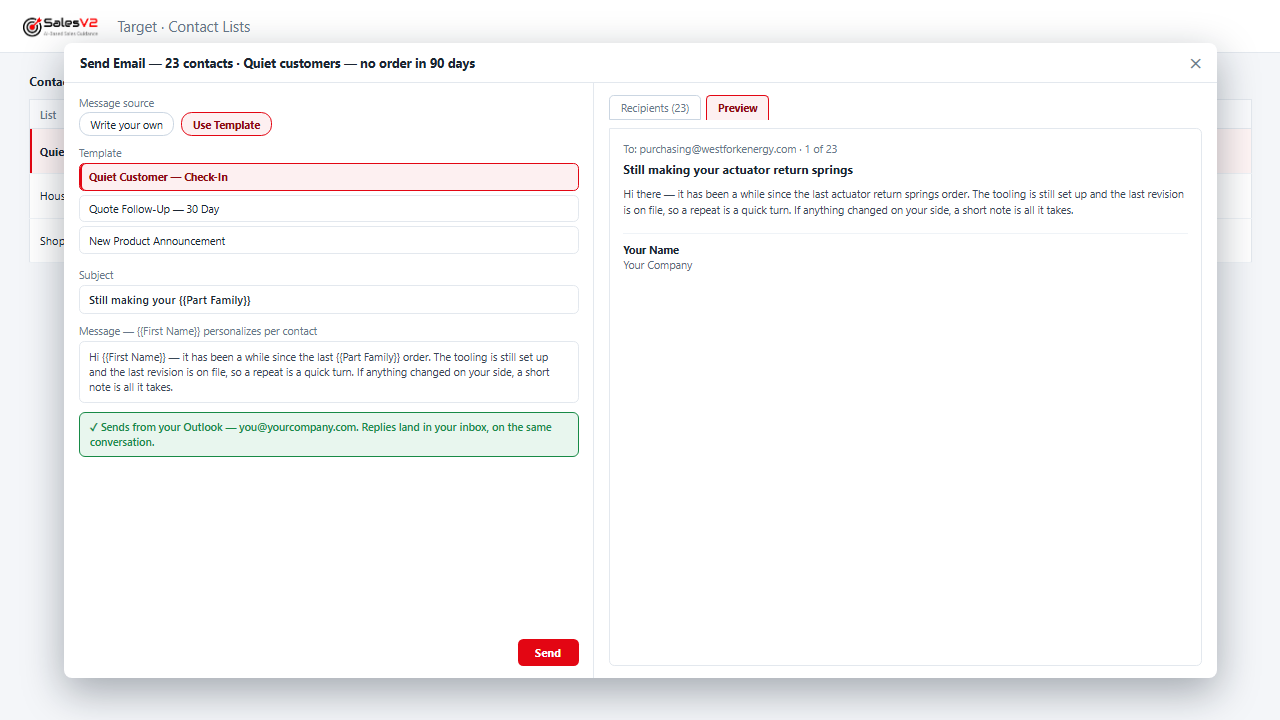
Finds the customers who stopped ordering, drafts the note that fits their history, and parks the campaign for your approval.
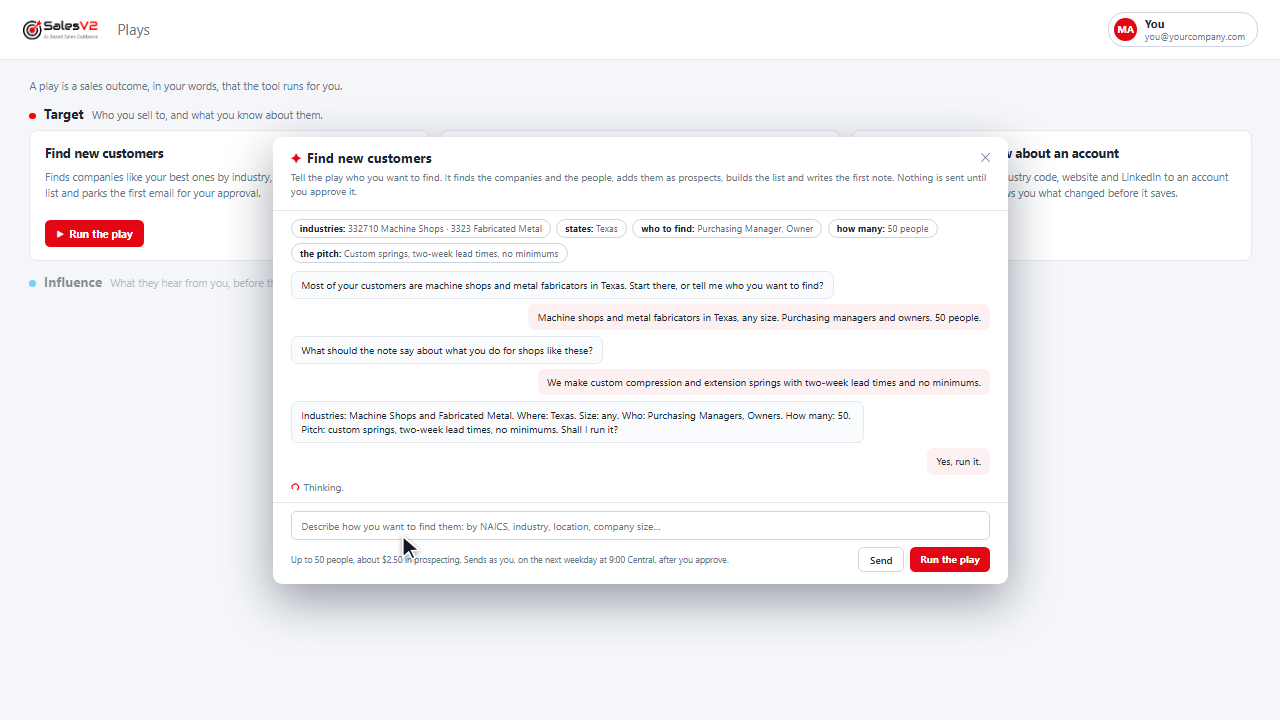
Finds companies like your best ones by industry, finds the people, builds the list and parks the first email for your approval.
Plays that need more of SYSPRO, such as purchasing, production or dispatch, are added as each connection is built. Tell us which ones matter to you. Mock-ups use fictional companies and data.
Where your ERP stops
TIPS needs certain things done. Your ERP already does some of them. SalesV2 surrounds it with the rest, the features it may not have, temporary or permanent, so the whole process runs.
What you need
- SYSPRO 8 with Quotations and Sales Orders
- SYSPRO Torque, which carries the connection
- SYSPRO Contact Management, recommended when a customer has more than one buyer
- A Microsoft 365 mailbox for each person who sends from SalesV2
Where it runs today
The same plays run live every day at manufacturers on JobBOSS, the ERP SalesV2 connected to first.
The SYSPRO connection is built on SYSPRO Torque and runs today on a SYSPRO demo company: customers, contacts, quotations and sales orders, feeding the same plays. We are taking the first SYSPRO sites now.
Questions SYSPRO users ask
Does SalesV2 replace quoting or sales orders in SYSPRO?
No. Your estimators keep quoting in SYSPRO and orders stay in SYSPRO. SalesV2 reads them and runs the work around them: the acknowledgement before the quote, the follow-up after it, and the call when a customer goes quiet.
Does SalesV2 write anything into SYSPRO?
No. The connection reads customers, contacts, quotations and sales orders. SYSPRO stays the system of record.
How does it connect?
Through SYSPRO Torque, SYSPRO’s integration platform. We build and maintain the workflows that read your data; you do not write code or run spreadsheets.
We already keep contacts in SYSPRO Contact Management. Do we lose that?
No. SalesV2 reads your Contact Management contacts, so the buyers you already keep in SYSPRO are the people the plays write to.
Does anything reach a customer without us?
No. RFQ acknowledgements send under rules you set and approve once. Every other play parks its result for your approval before anything is sent: the follow-up you read, the campaign you release.
Who is it built for?
Manufacturers on SYSPRO who quote often and lose work to slow replies and quotes nobody chased. The plays are the same whether one person quotes and sells or many teams do.
How long does it take to get running?
Thirty days or less from access to go-live: we set up the Torque connection with you, connect Microsoft 365, load your customers and open quotations, and agree the rules each play runs under.
See it on your own SYSPRO data
Twenty minutes: your open quotations, the follow-up each one needs, and the customers going quiet.