The CRM That Talks to Your ERP
SalesV2 connects directly to your ERP system — syncing quotes, orders, contacts, and RFQs automatically. No spreadsheets alongside your CRM. No manual data entry. Your front office and your shop floor finally see the same data.
Where your ERP stops
TIPS needs certain things done. Your ERP already does some of them. SalesV2 surrounds it with the rest, the features it may not have, temporary or permanent, so the whole process runs.
One CRM. Your ERP. Connected.
SalesV2 was built from the ground up with a multi-ERP adapter architecture. Connect your ERP, authorize your email, and your data starts flowing — no middleware, no Zapier, no consultants.
Connect Your ERP
Connect your ERP system. SalesV2 starts syncing quotes, orders, and contacts immediately.
Authorize Email
Connect your Microsoft 365 account so SalesV2 can match incoming RFQ emails to ERP quotes.
See Your Data
Your dashboard populates with real ERP data — quotes, open RFQs, customer history, and more.
Start Working
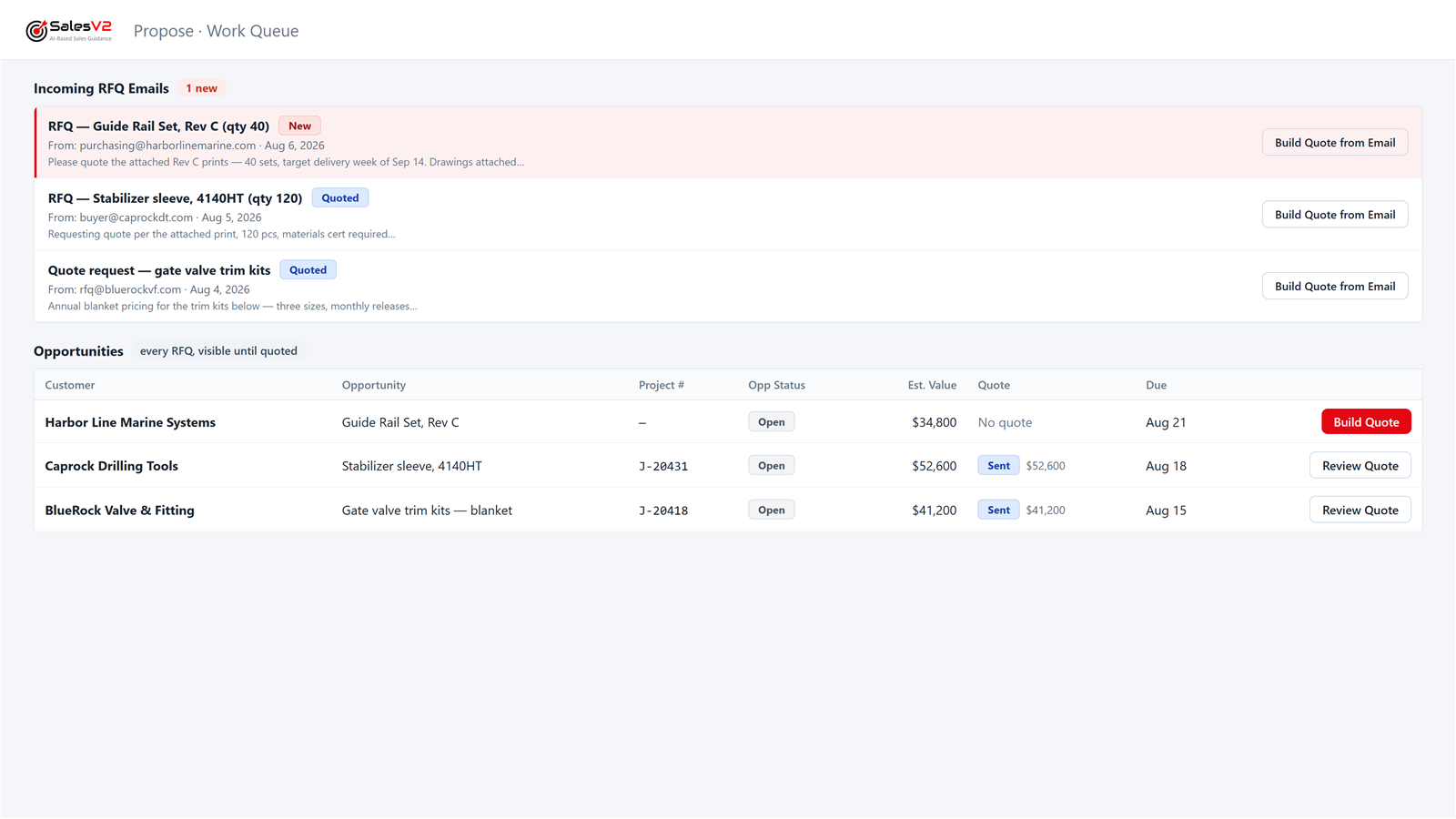
Your team uses the work queue to track every RFQ, follow up on quotes, and stop losing work.
ERP Systems
The ERP stays the system of record. The connector reads; it never writes. Every play runs on the mirror of your ERP data, so the plays are the same whatever the ERP: capability around your system, never inside it.
We're building deep, native integrations — not shallow connectors. Each ERP gets a purpose-built adapter that understands its data model.

JobBOSS² and JobBOSS on-premises
ECI Software
Live at customers on both: JobBOSS² in the cloud through its API, legacy JobBOSS on-premises through a read-only connector. Quotes, orders, contacts and RFQs are mirrored; JobBOSS stays the system of record.
Industries: Precision machining, aerospace, defense, fabrication
See the JobBOSS integration →
Epicor Prophet 21
Epicor
Distribution ERP. Not connected today; the plays run on a mirror of quote and order data, so a Prophet 21 connector is a mapping job, not a rebuild. Ask us.
Industries: Industrial distribution, wholesale, supply chain

ProShop ERP
ProShop USA
Built for precision machining shops. Not connected today; the same mirror-and-play model applies. Ask us.
Industries: Precision machining, AS9100 / ISO shops

E2 Shop System
Shoptech
E2 is now JobBOSS²: shops that moved to JobBOSS² are live with SalesV2 today through its API. Still on an on-premises E2 install? Not connected today; the same mirror-and-play model applies. Ask us.
Industries: Job shops, contract manufacturing
On JobBOSS² now? See the integration →Epicor Kinetic
Epicor
Manufacturing ERP for larger shops. Not connected today; the same mirror-and-play model applies. Ask us.
Industries: Discrete manufacturing, make-to-order

Acumatica
Acumatica
Cloud ERP for mid-market manufacturers. Not connected today; the same mirror-and-play model applies. Ask us.
Industries: Manufacturing, distribution, field services
Don't see your ERP? We'd love to hear from you.
Sales in a box. More sales without adding people.
A sales process is what you are supposed to do. A play is what actually happens.
We built our process, TIPS, into plays. Every stage has its plays. You call them, we run them, you approve.
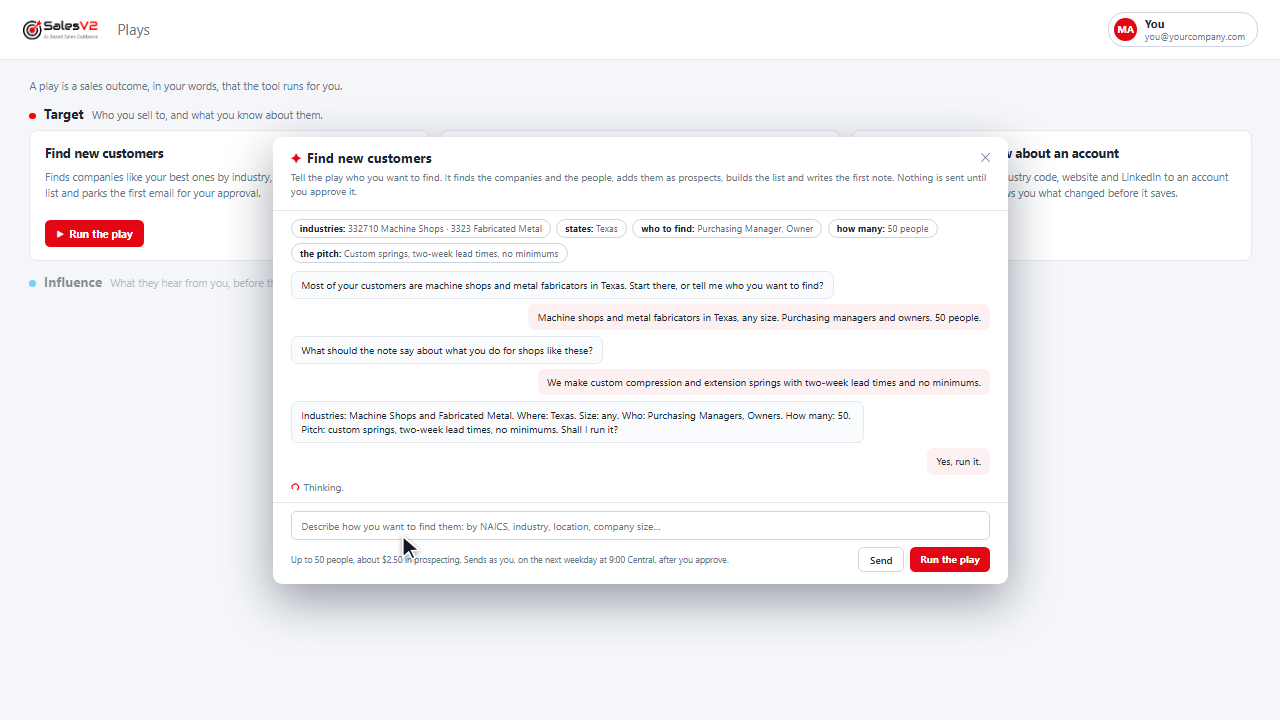
Finds companies like your best ones by industry, finds the people, builds the list and parks the first email for your approval.
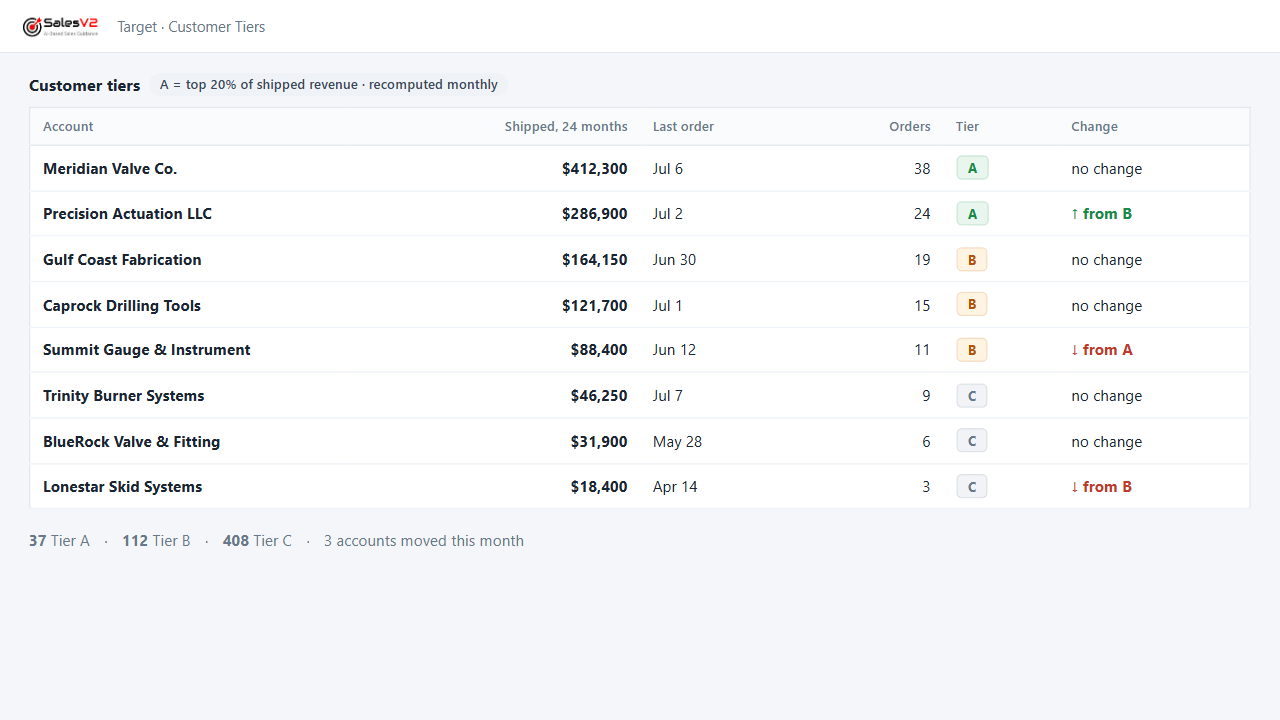
Tiers every account on what it has shipped, so the calls, the visits and the campaigns go to the right names first.
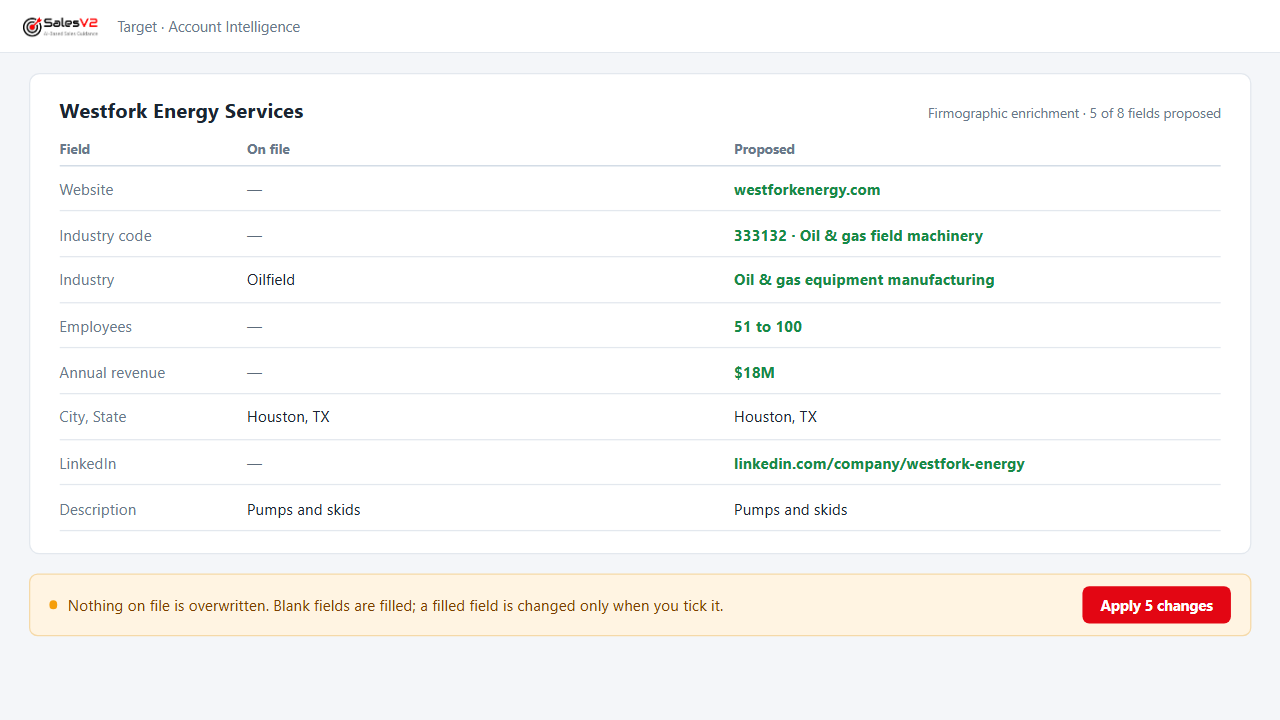
Adds revenue, headcount, industry code, website and LinkedIn to an account from public sources, and shows you what changed before it saves.
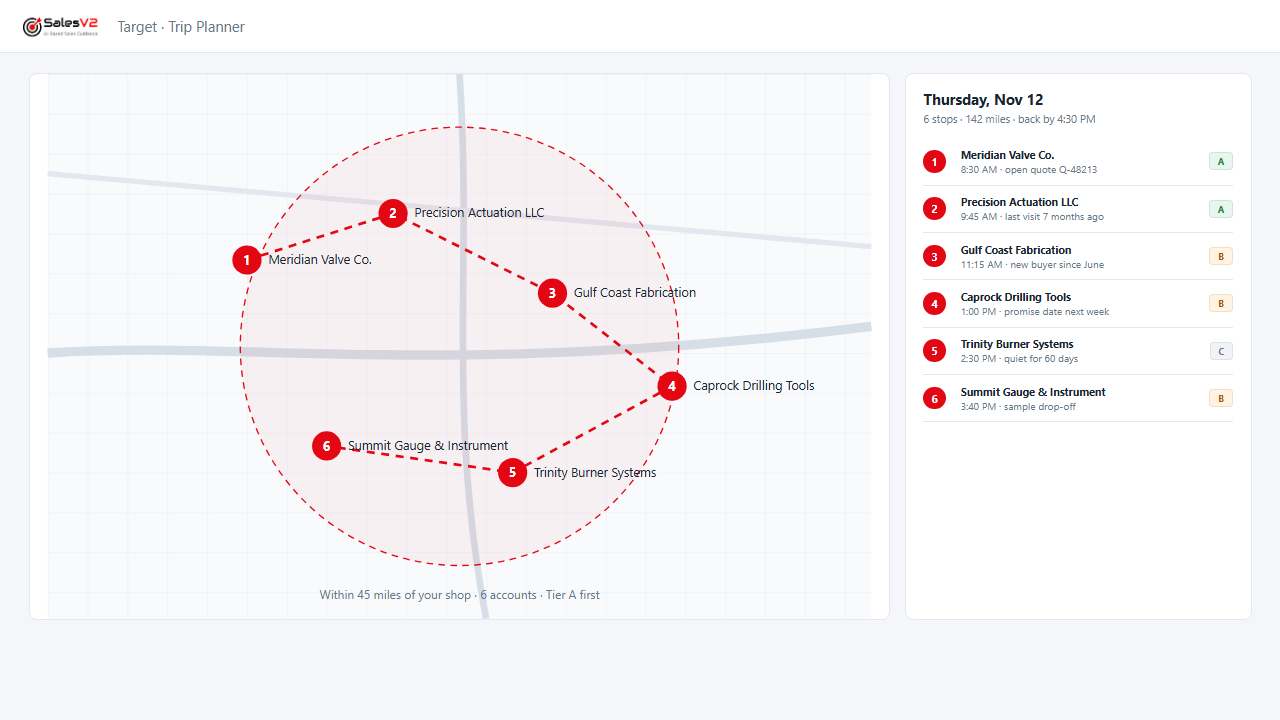
Puts your accounts on a map, picks the ones within reach of a trip and orders the day.
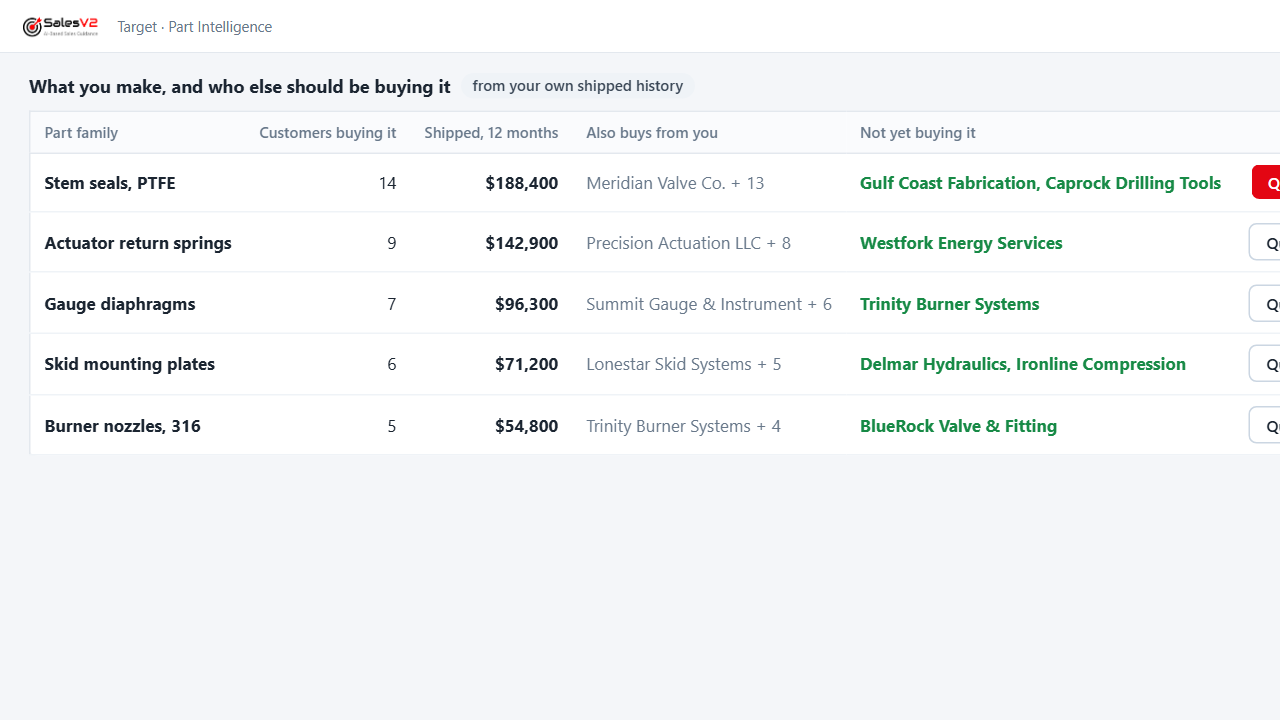
Looks across your order history for the part families each customer buys, so a new inquiry lands with the history beside it.
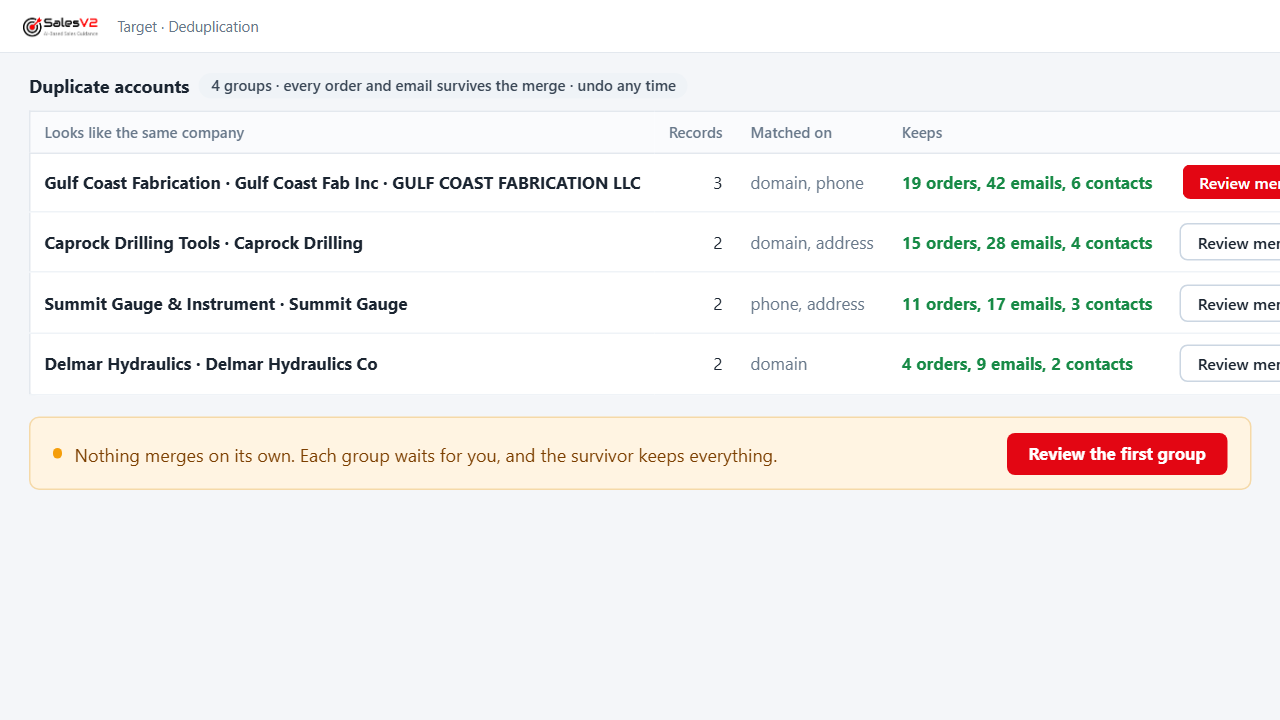
Finds the same company entered three ways, proposes the merge, keeps every order and email, and lets you undo it.
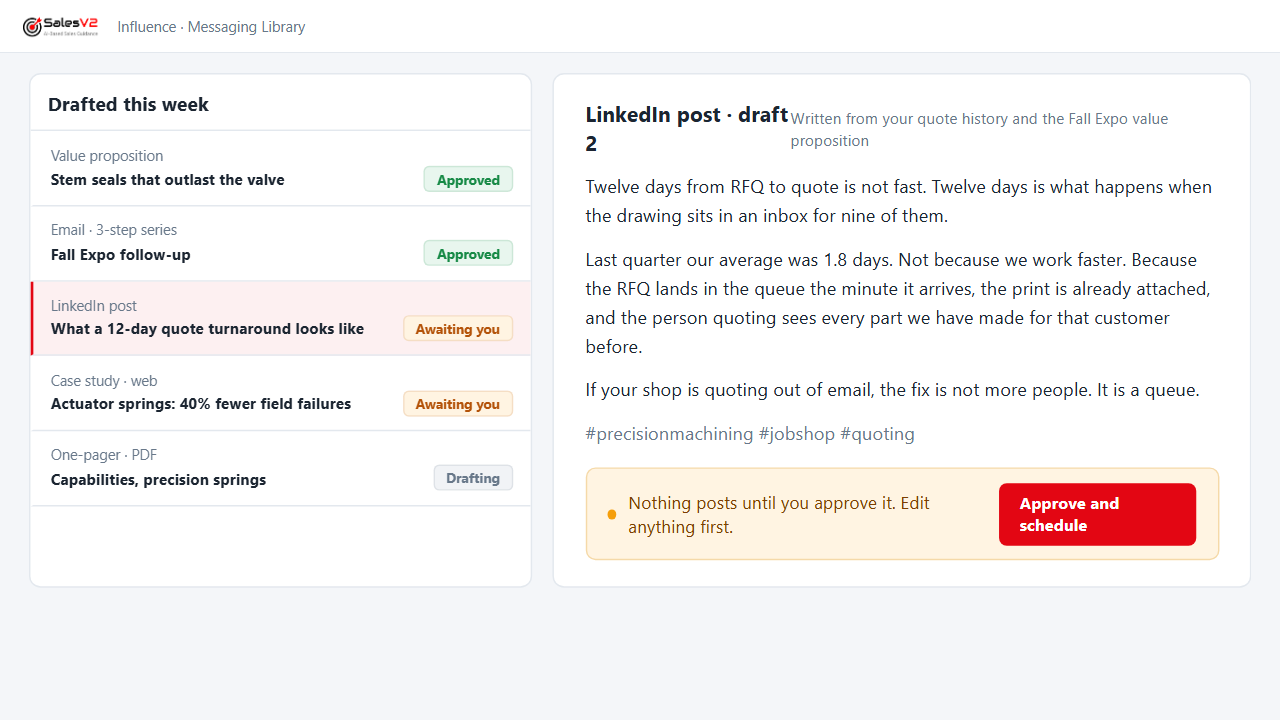
Drafts the value proposition, the email, the social post and the web case study from what you already sell; you edit, you approve.
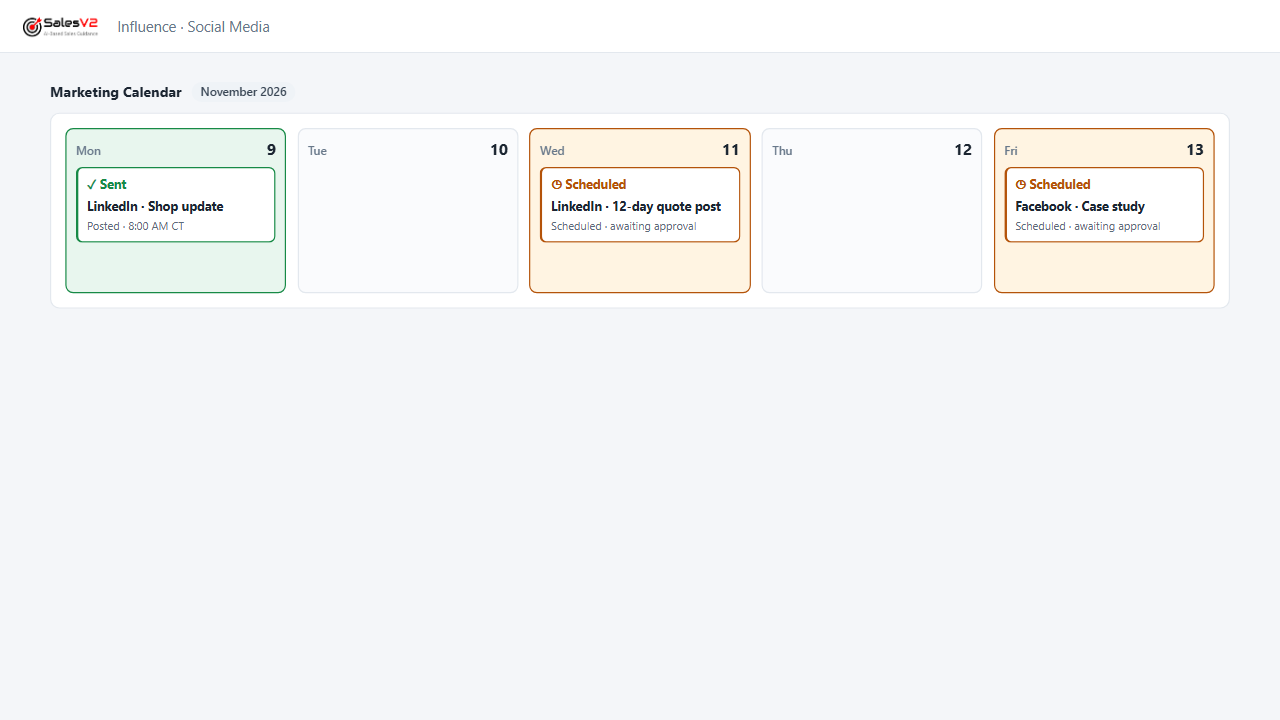
Schedules the posts across your channels from one calendar; every post waits for approval before it goes out.
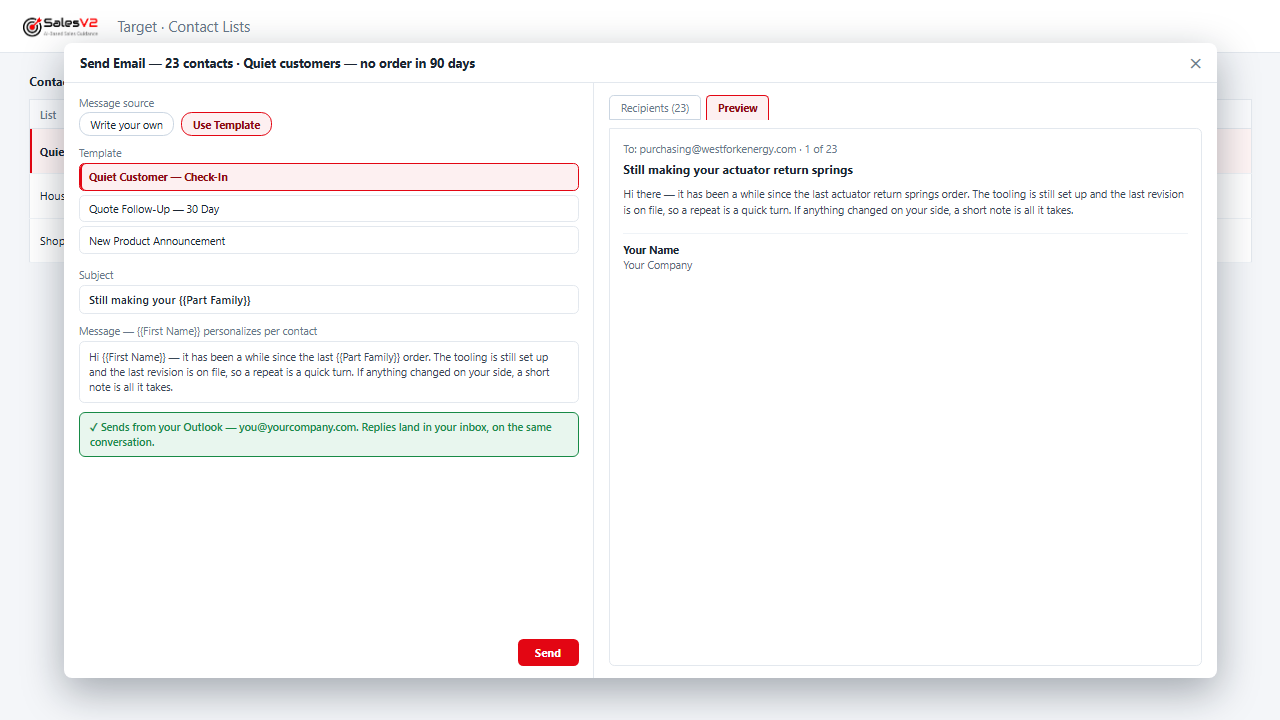
Finds the customers who stopped ordering, drafts the note that fits their history, and parks the campaign for your approval.
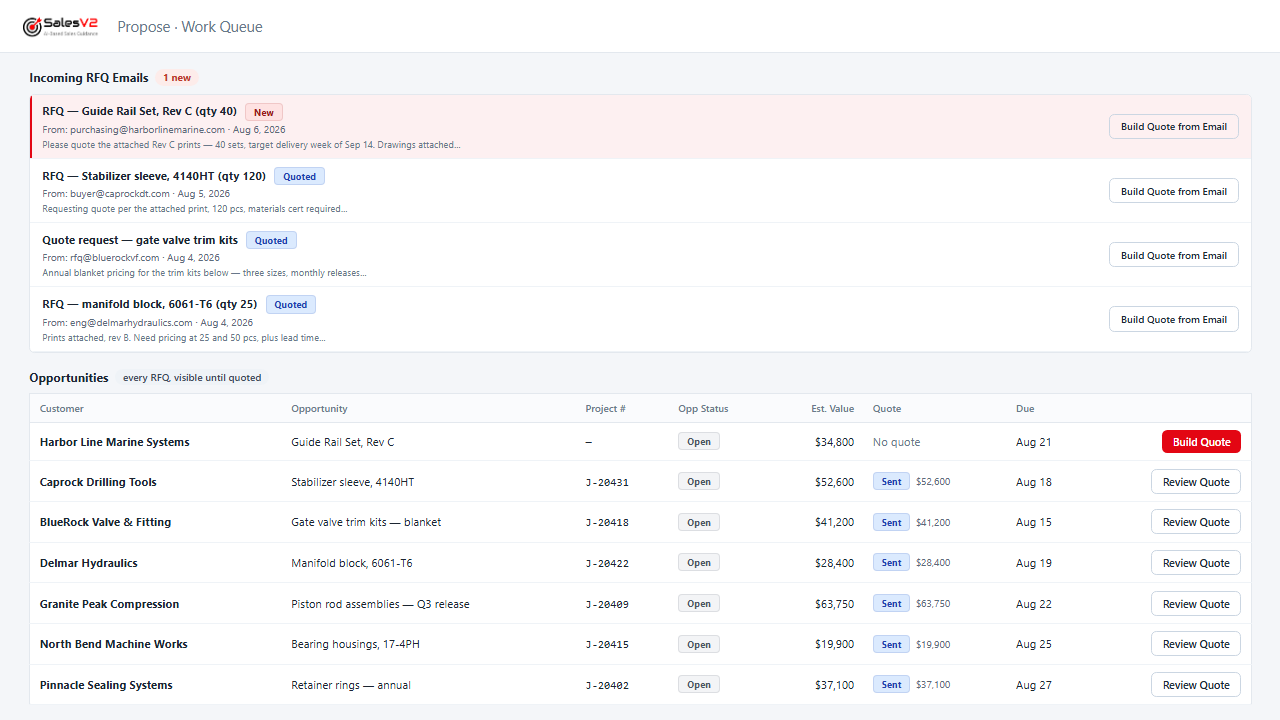
Reads the RFQ email, files it, assigns it and sends the acknowledgement under your rules, before anyone opens the inbox.
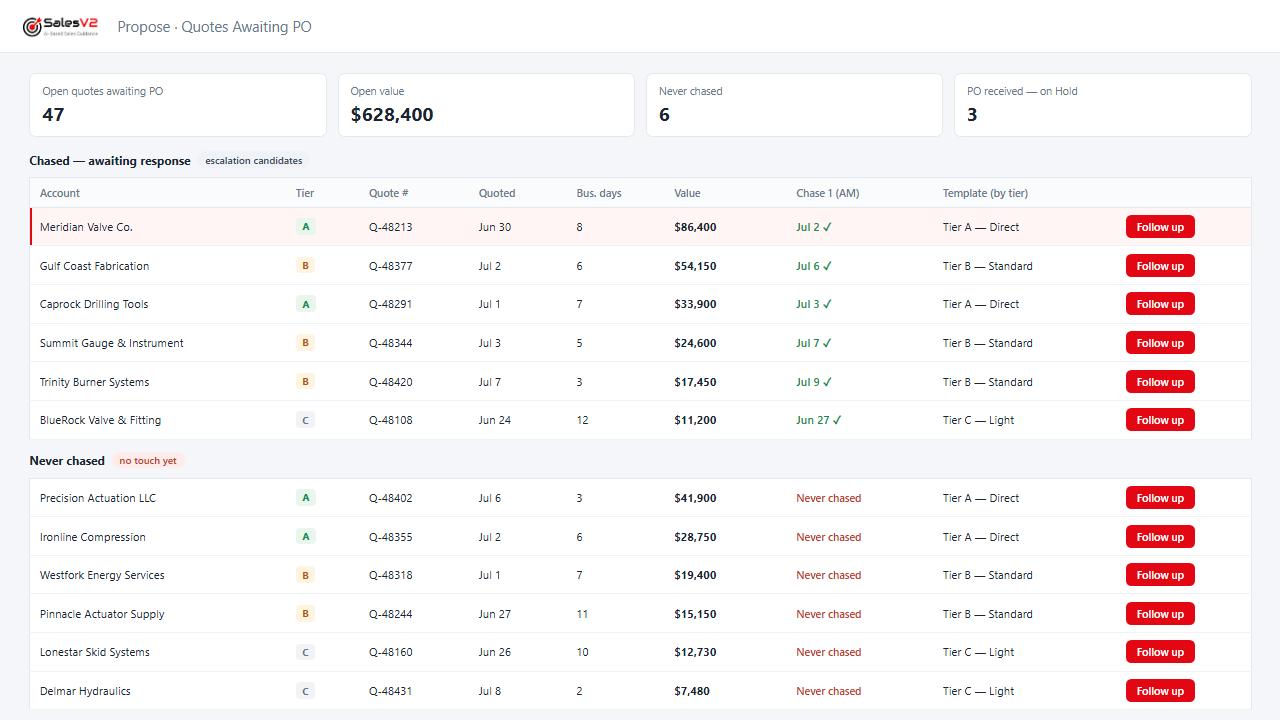
Lists every quote that never came back as a PO, drafts the follow-up, and sends it after you approve.
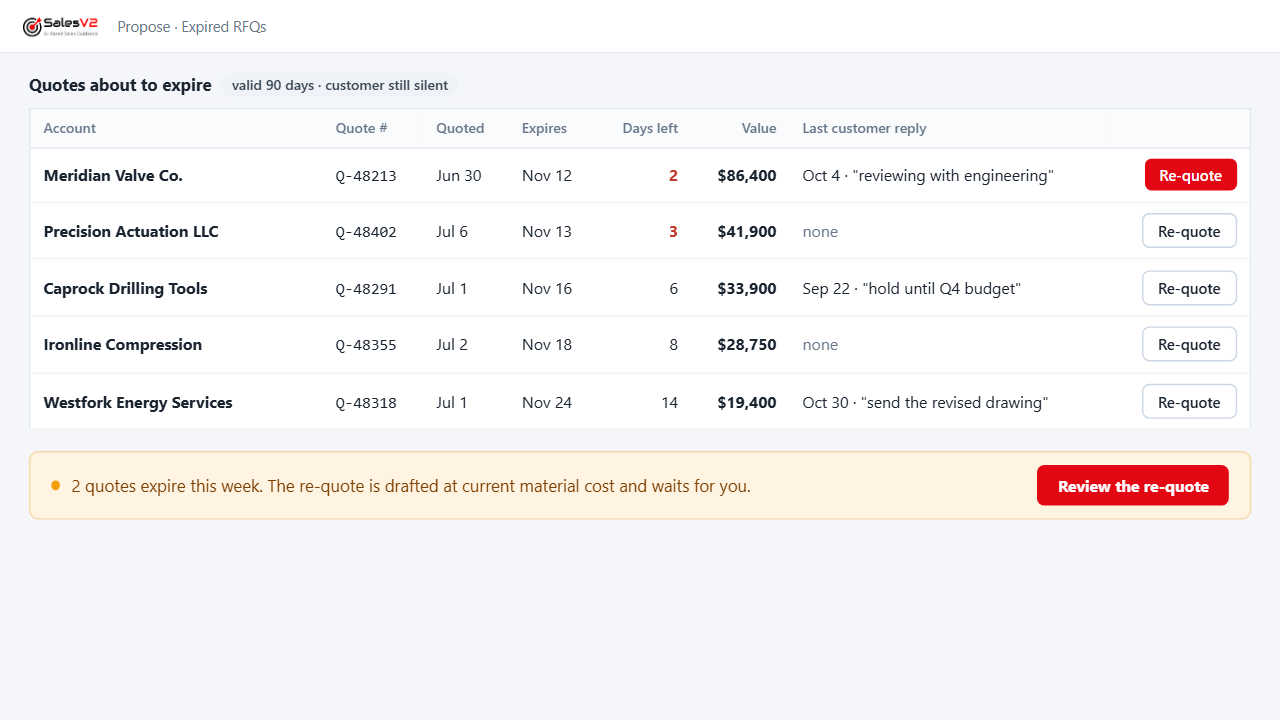
Flags the quotes reaching their expiry date with the customer still silent, so you re-quote before you lose them.
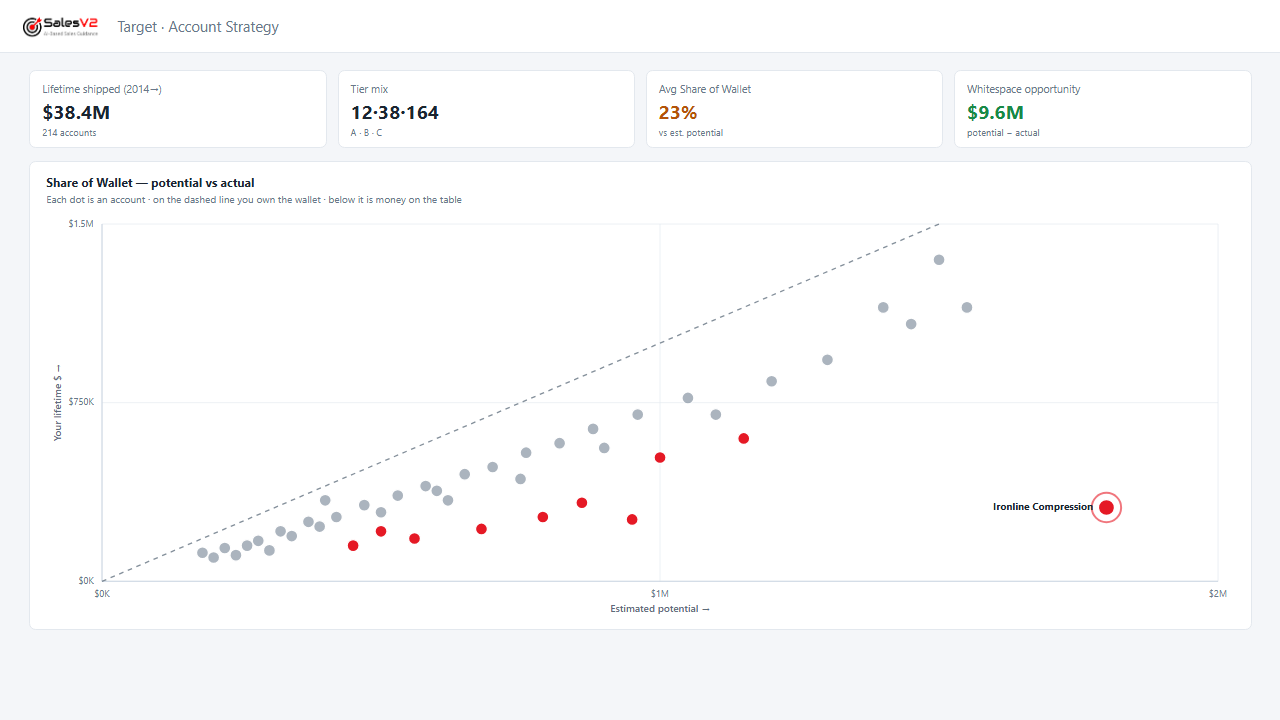
Shows what each customer buys from you and what they buy from someone else that you already make.
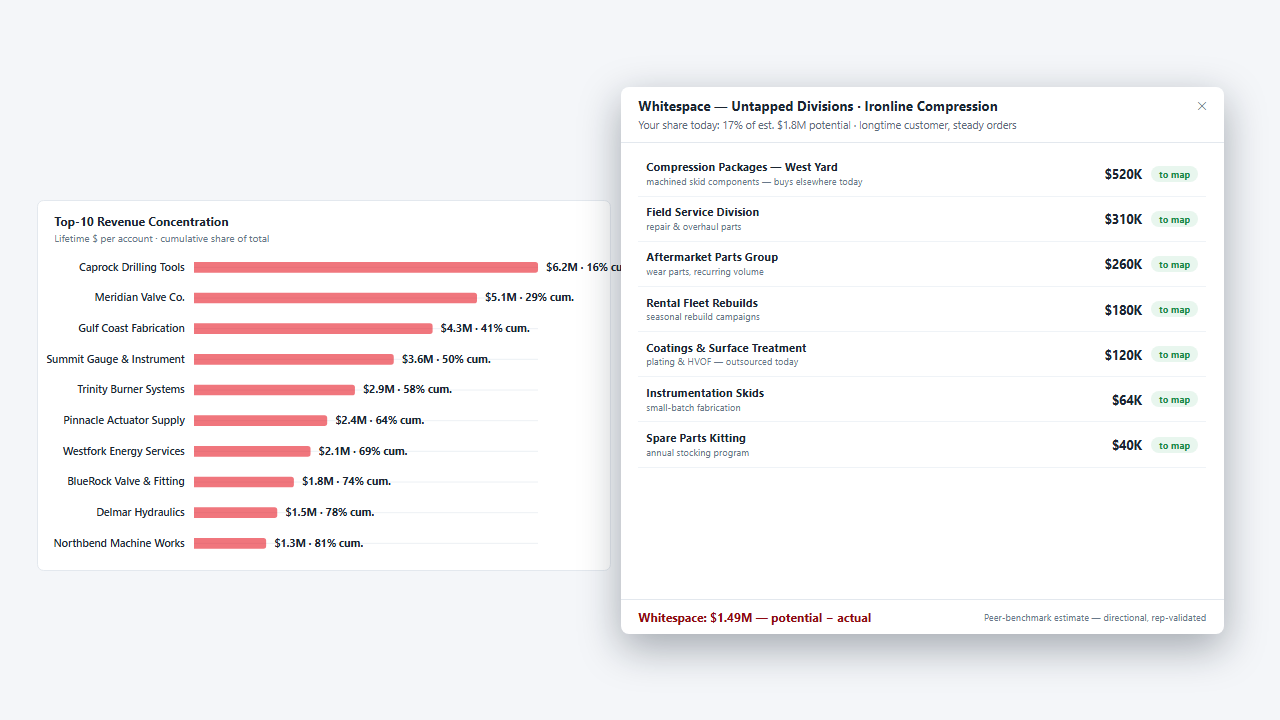
Maps the sister plants and group companies of a customer you already ship to, finds the people, drafts the note and parks the campaign.
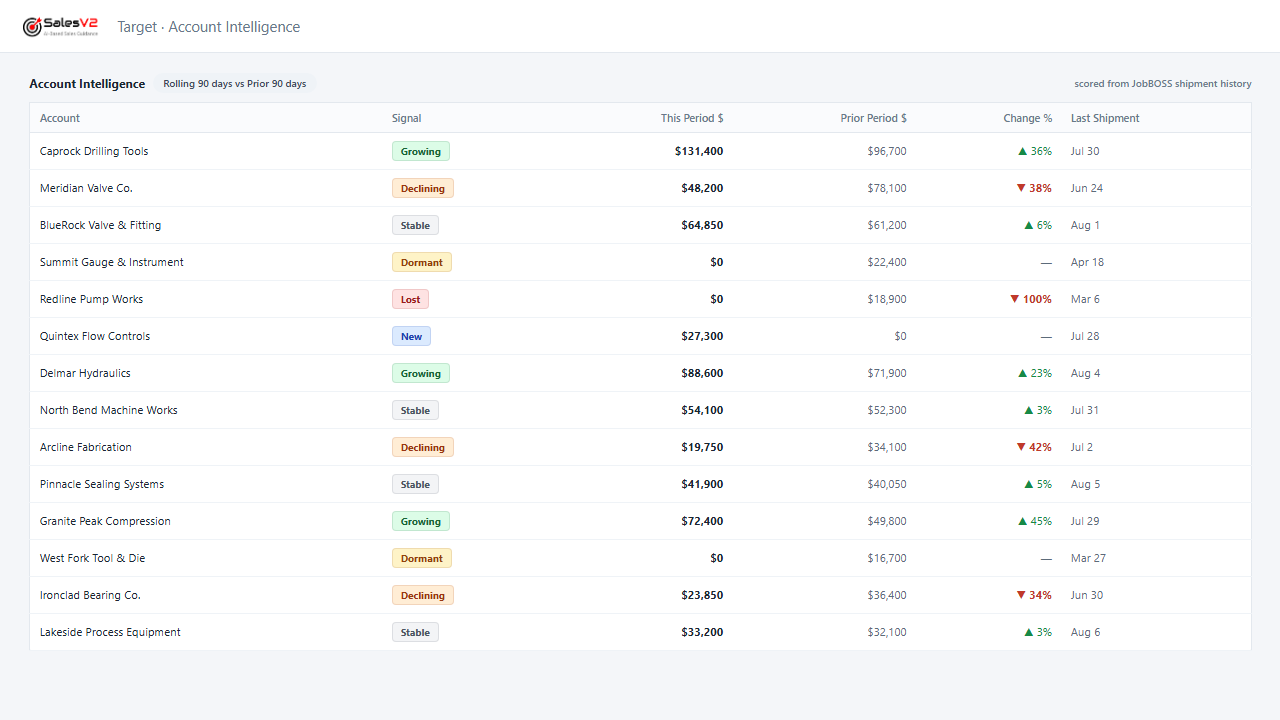
Flags the account whose orders are tapering off while a phone call can still turn it around.
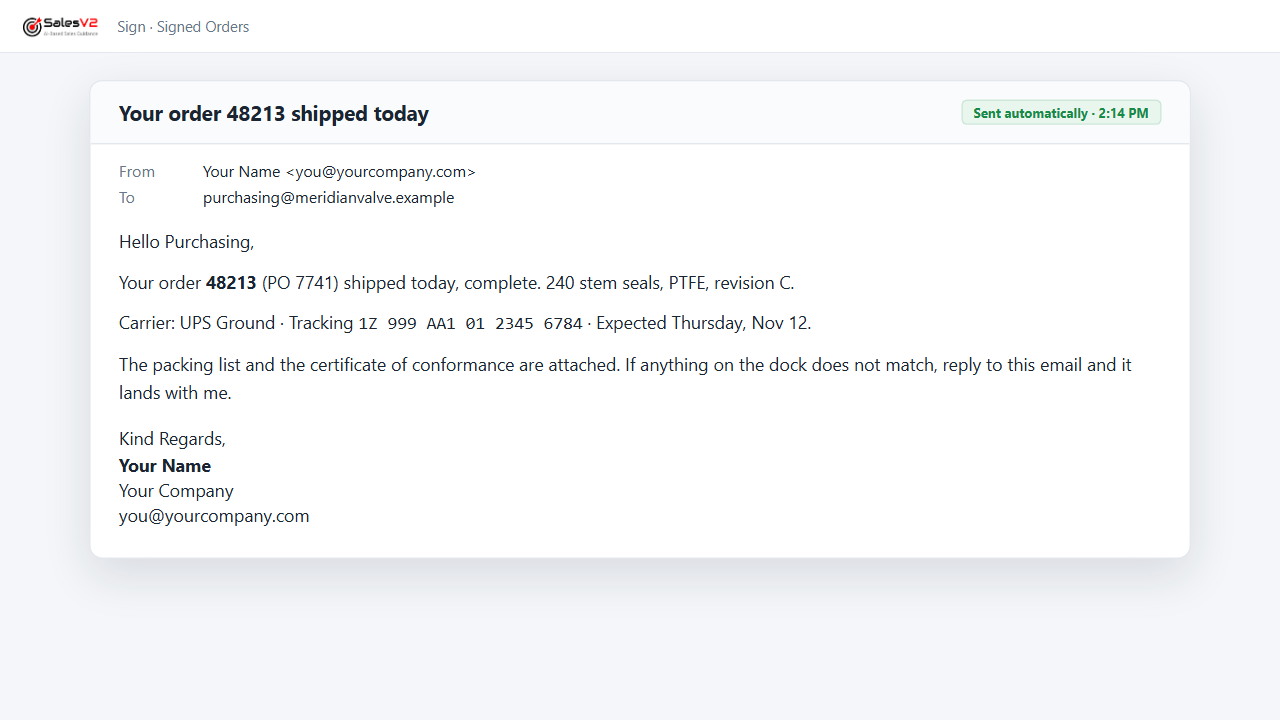
Sends the tracking notice the moment the shipment leaves, signed by the person they know.
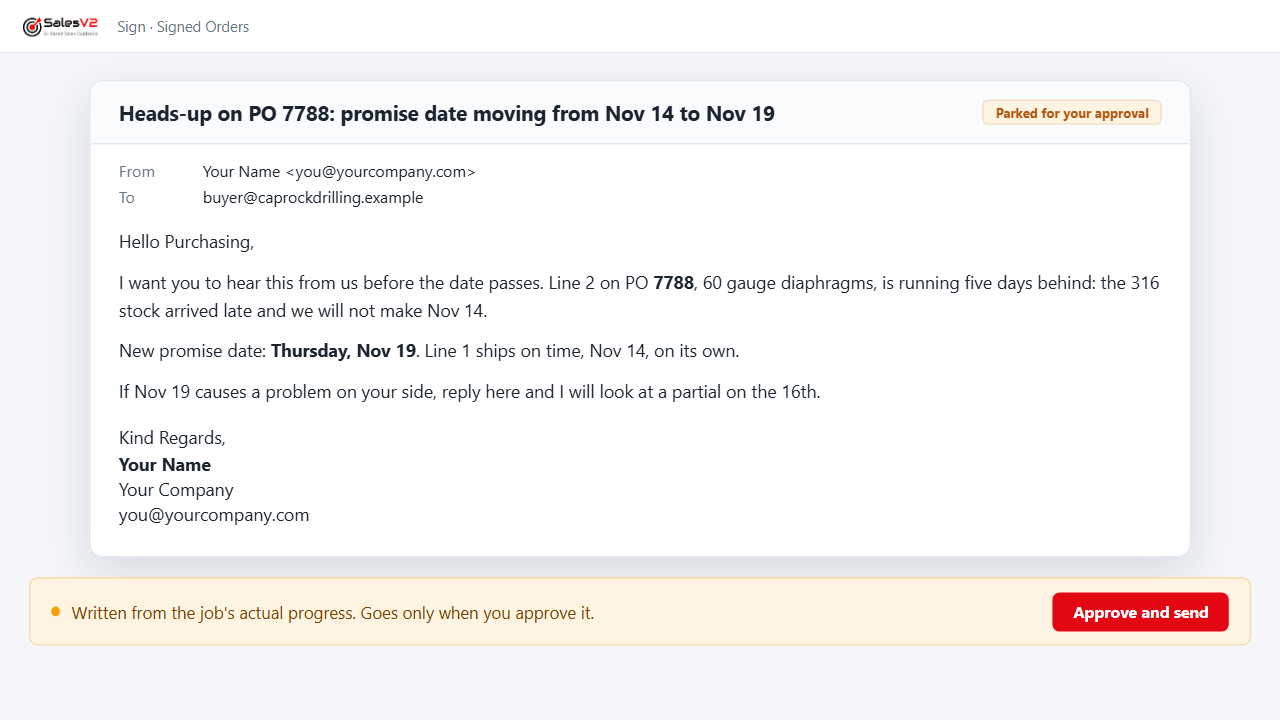
Watches promise dates against the shop’s progress and warns the customer’s buyer before the date passes, not after.
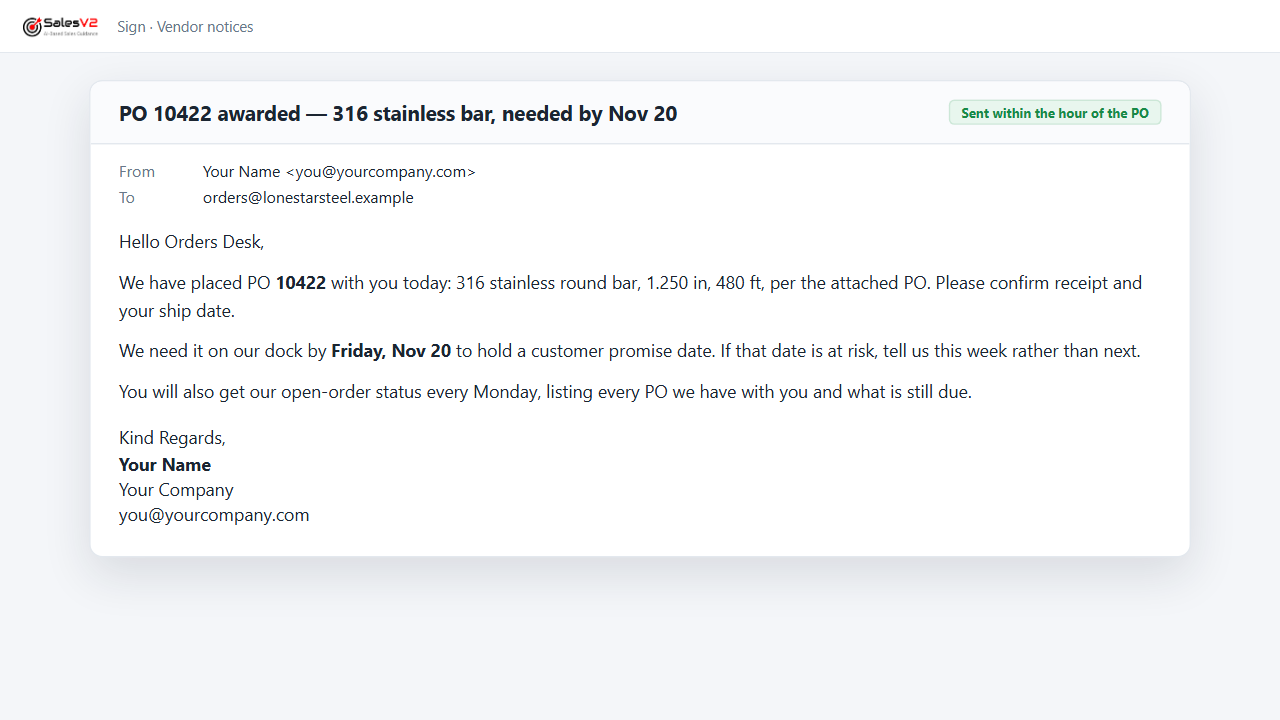
Sends the PO award to the vendor within the hour and the open-order status every week, from your purchasing data.
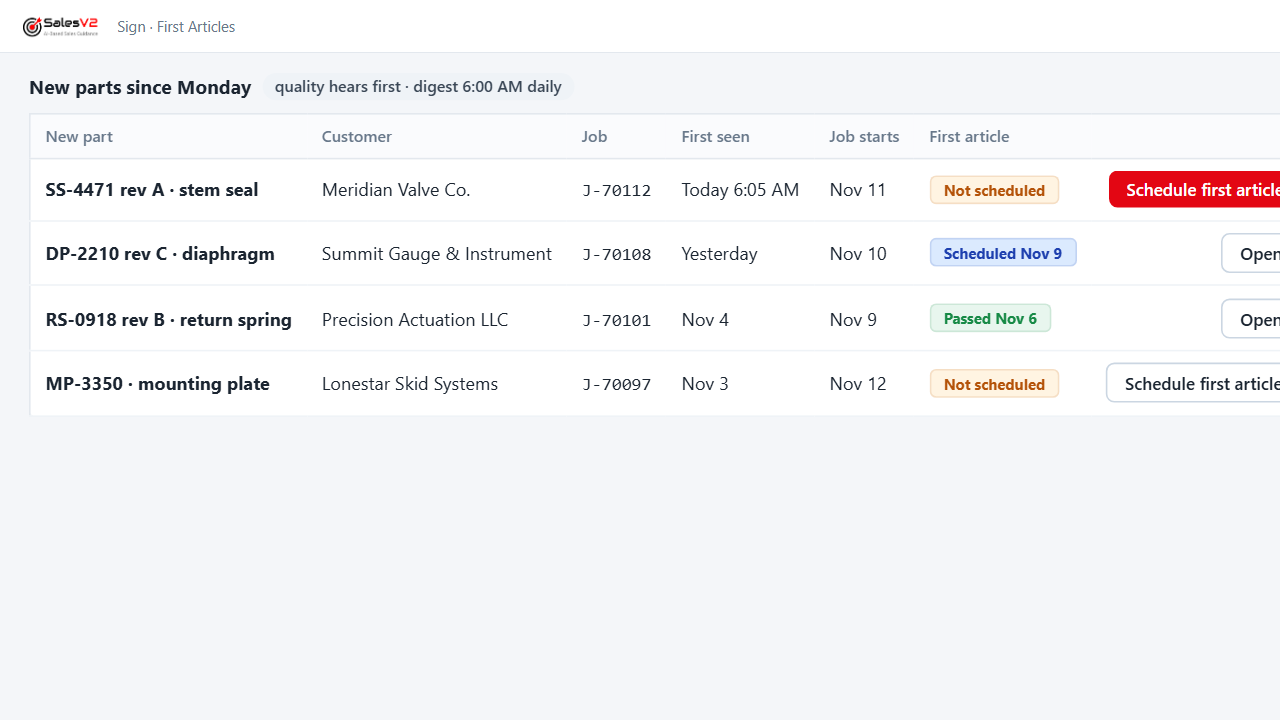
Tells quality about every new part before the job starts and keeps the first-article queue current.
AI agents that stop at your desk. Nothing reaches your customer without you.
Nineteen plays. Every one of them parks its result for your approval before anything is sent. Mock-ups use fictional companies and data.
Two Ways to Run Every Play
Same engines, same approval gate. You choose whose hands are on the controls, play by play.
Leave it to the tool
Tell it who you want. It asks until it knows, shows you the price, does the work, and parks the result on your desk. Nothing reaches your customer until you approve it.
This play will use 25 credits and up to 50 of this month’s prospecting allowance. It creates prospects, a target list and a draft campaign that waits for your approval. OK to continue?
- Find the companies and people50 people with a verified email
- Add them to your CRM as prospects8 new accounts, 50 new contacts
- Build the target list50 people
- Write the noteFrom your pitch, in your words
- Park the campaign for your approvalWaiting for your approval
The play as it runs: the conversation, the price, the five steps. Names and counts are fictional.
Drive it play by play
Every play is built from modules you can open yourself: the Work Queue, Strategy, Target Lists, Campaign Hub. One screen, every RFQ, quote and order, with your hands on the controls.
Reports That Deliver Themselves
A report writer has a layout. It has no clock, no condition and no recipient. SalesV2 reads your JobBOSS data and sends the report, by email, to the person who needs it, when they need it.
On a schedule
The same report, to the same people, every time, without anyone opening the ERP.
- The pick list, every working morning at 6:00, to the stockroom and the floor.
- Open orders with each vendor, every Monday, to purchasing and to the vendor.
- New parts since yesterday, before the shift, to quality.
On a condition
Only when the data says so. Silence means nothing needs your attention.
- A promise date the job’s progress says will slip, to the customer’s buyer, before the date passes.
- A quote reaching its expiry with the customer still silent, to the person who quoted it.
- A customer whose orders drop below their own average, to the owner.
On an event in the workflow
The moment something happens in the ERP, the right person hears.
- The PO award to the vendor within the hour of the PO, with what is needed and when.
- The tracking notice to the customer the moment the shipment leaves.
- The first-article flag the moment a new part appears on a job.
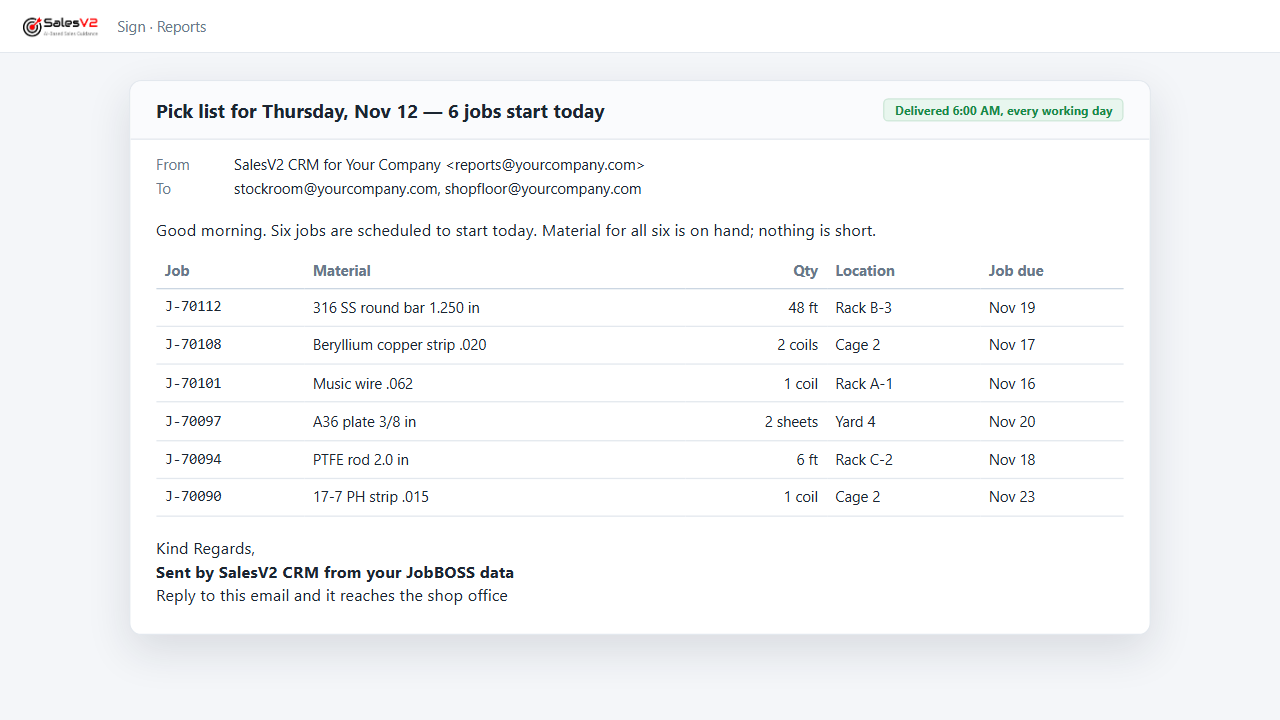
Who hears: the owner, purchasing, quality, the floor, your vendors and your customers. Every play that sends is one of these three, and every send to a customer or a vendor waits at the desk of the person whose name is on it.
What Runs the Plays
One dashboard for your ERP data, your emails, and your sales pipeline. Regardless of which ERP you run.
Native ERP Sync
Quotes, orders, contacts, and RFQs pulled automatically from your ERP. No Zapier. No middleware. No manual entry.
Email-to-RFQ Matching
Incoming RFQ emails are automatically parsed and correlated to ERP quotes. Every request tracked in a shared work queue.
Quote Follow-Up Dashboard
See which quotes are pending, expired, or won — live from your ERP. Expired quotes flagged for one-click follow-up.
Email Automation
Rules that trigger follow-ups automatically. Quote expiring? Customer gone quiet? The system sends the right email at the right time.
Templates & Mass Email
Pre-built templates with personalization. Select contacts, pick a template, hit send — every email personalized automatically.
Social Media & Content
Post to LinkedIn, Facebook, and more from one dashboard. Content library, scheduling, and engagement tracking built in.
Influence Actions
Proactive outreach tasks tied to your accounts, quotes, and pipeline. Every follow-up and campaign moves a deal forward.
Secure & Isolated
Row-level security, tenant isolation, and SOC 2 readiness. Your data stays yours. Works with Microsoft 365.
Built for Shop Teams
Role-based per-user pricing. No CRM consultant required. Heavy users and occasional viewers on the same platform.
"We found 6 expired quotes worth over $150K in the first week. We went from sticky notes and spreadsheets to knowing the status of every RFQ in seconds."
Quoting Manager
Precision Machining Shop — JobBOSS Integration
Your ERP + Your Email + Your Pipeline = One Dashboard
See your actual ERP data in SalesV2. Most shops are live within a day.
Your data. Your dashboard. Set up in a day.
See it with your own data