CRM for JobBOSS shops
CRM alternatives for JobBOSS, compared on one thing: more sales
There are three ways to put a CRM around JobBOSS: ECI’s own JobBOSS CRM module, a general CRM such as Salesforce or Zoho with a sync connector, or SalesV2. Two of them manage the customers you already have. One of them goes and gets the ones you do not.
SalesV2
A CRM built for job shops on JobBOSS. It reads your JobBOSS and runs sales plays on it: find new customers like your best ones, add the accounts and contacts to pursue, win back the quiet ones, answer every RFQ, chase every quote to PO, email the reports, publish the case studies. Every step waits for your approval.
ECI JobBOSS CRM module
In ECI’s words: a customer dashboard and task system inside JobBOSS. Log calls, schedule appointments, track tasks, see quotes in the pipeline with a probability, identify your most valuable customers and whether their sales rose or fell. It organises the customers you have.
Salesforce, HubSpot or Zoho with a connector
A connector such as Commercient syncs JobBOSS customers, quotes, orders and invoices into a general CRM. You get a full CRM, a second system to keep in step, two subscriptions, and the prospecting, writing and follow-up still to build and staff.
What a shop owner wants, and who does it
The statements about the ECI module and the connectors are taken from their own product pages.
| What you want | SalesV2 | ECI JobBOSS CRM | General CRM + connector |
|---|---|---|---|
| Find new customers that look like my best ones | Finds companies like your best accounts by industry, finds the people, builds the list and drafts the first note. You approve, it sends. | Works with the customers already in JobBOSS. It has no list of the shops you are not selling to yet. | Syncs the customers you already have into the CRM. Prospecting is still a person with a spreadsheet. |
| Add new accounts and contacts I can go after | Adds the account with revenue, headcount, industry, website and the right people, from public sources, and shows you what it found before it saves. Nothing is typed in by hand. | Customer and contact records are entered by hand, after the customer exists. | Entered by hand in Salesforce or Zoho, then synced down. |
| Win back the customers who went quiet | Finds the accounts that stopped ordering, drafts the note that fits their history and parks the campaign for your approval. | Shows whether a customer’s sales went up or down against last year. The call is yours to make and the note is yours to write. | Account history is visible in the CRM. The chase is manual. |
| Answer every RFQ the hour it lands | Reads the RFQ email, files it, assigns it and sends the acknowledgement under your rules before anyone opens the inbox. | Quotes are built inside JobBOSS. The email that brought the RFQ stays in Outlook. | Not part of a data sync. |
| Chase every quote until it becomes a PO | Lists every quote that never came back, drafts the follow-up and sends it after you approve. Expired quotes surface on day one. | Shows the quote pipeline with a probability per quote and a call list. Following up is a task on someone’s list. | Quotes appear as deals in the CRM. Follow-up is whatever the CRM can automate, built by you. |
| Sell customers what they buy elsewhere | Shows what each customer buys from you and what they buy from someone else that you already make, and the sister plants you do not serve yet. | Reports what each customer bought from you. | Reports what each customer bought from you. |
| Reports that reach people who never log in | Open quotes, late POs, new RFQs, quiet accounts and vendor status are emailed on a schedule to whoever acts on them: the estimator, purchasing, the shop floor, a customer. No seat needed to receive one. | Dashboards and reports inside JobBOSS, for people with a JobBOSS login, when they open it. | CRM dashboards for CRM users. Each reader is a licence. |
| Put my work on the website and social media | Turns a finished job or field service report into a web case study and the LinkedIn post to go with it, drafted from what you already did. You approve, it publishes. | Not part of the module. | Only with a separate marketing product and someone to write it. |
| A sales method, not just a database | TIPS: Target, Influence, Propose, Sign. Every play belongs to a stage, so a shop with no sales team still runs a sales process. | A customer dashboard and task list. The method is whatever the shop brings. | Generic pipeline stages you configure and police yourself. |
| Nothing goes to a customer without me | Every list, note, post and report waits for your approval before it sends. | Not applicable; it does not send on your behalf. | Depends on what you build in the CRM. |
| Keep JobBOSS as the system of record | Yes. SalesV2 reads your JobBOSS and never changes your JobBOSS data. Cloud, on-premises and JobBOSS². Set up in a day. | Yes. It lives inside JobBOSS. | Yes, with a second system to keep in step and a connector to pay for. |
| Built for a shop without a sales team | Yes. Owner-run shops of 5 to 100 people. The plays do the legwork; you make the calls. | Built for the people already using JobBOSS to log calls and tasks. | Built for shops that already run a CRM with reps to work it. |
JobBOSS knows the customers you have. It cannot add the ones you don’t.
JobBOSS is the shop’s system of record: the quotes, jobs, customers and shipments that already exist. Its CRM module organises that record. Neither has a way to find a plastics shop in Ohio that looks like your best customer, to find the purchasing manager there, or to write the first note. That is the whole difference, and it is where the growth is.
- SalesV2 adds new accounts with revenue, headcount, industry, website and the right contacts, from public sources, and shows you what it found before it saves.
- It maps the sister plants and divisions of customers you already ship to, and the parts they buy elsewhere that you already make.
- It emails the reports to the people who act on them, inside the shop and outside it, with no login required to read one.
- It turns finished work into web case studies and LinkedIn posts, so the next customer can see what you did for the last one.
- It writes the note, builds the campaign and parks it on your desk. Nothing reaches anyone until you approve it.
Sales in a box. More sales without adding people.
A sales process is what you are supposed to do. A play is what actually happens.
We built our process, TIPS, into plays. Every stage has its plays. You call them, we run them, you approve.
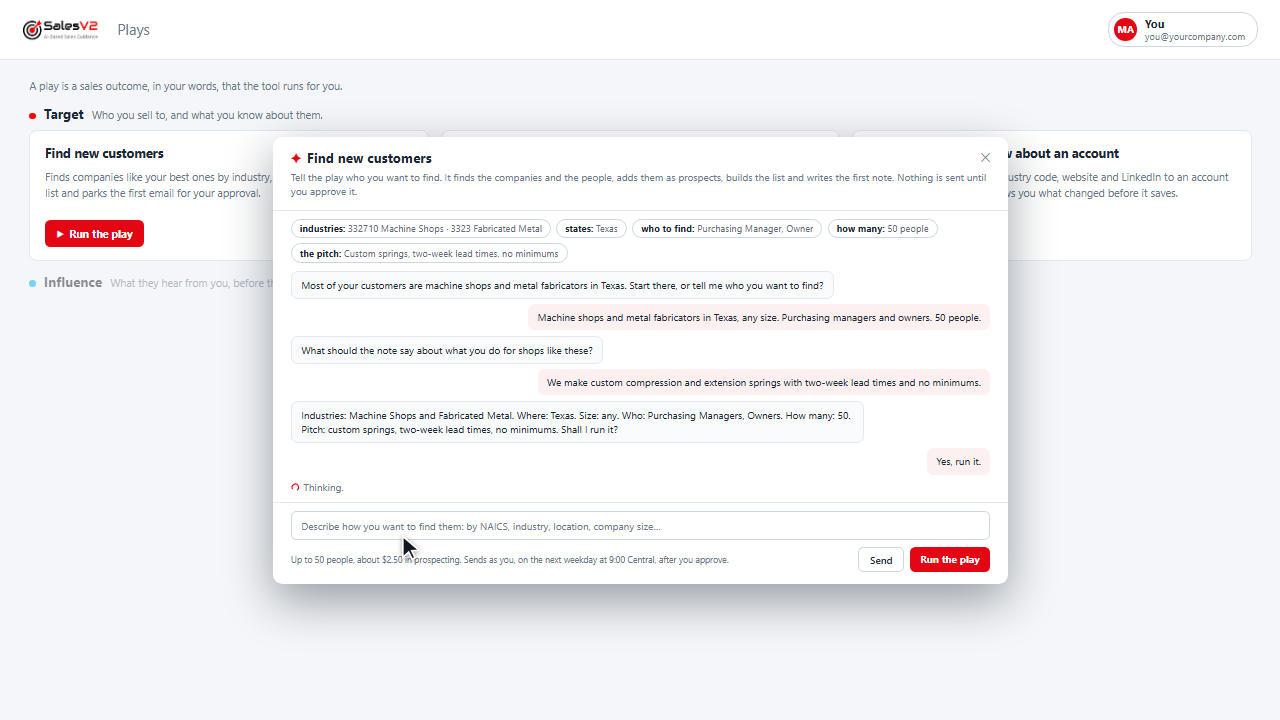
Finds companies like your best ones by industry, finds the people, builds the list and parks the first email for your approval.
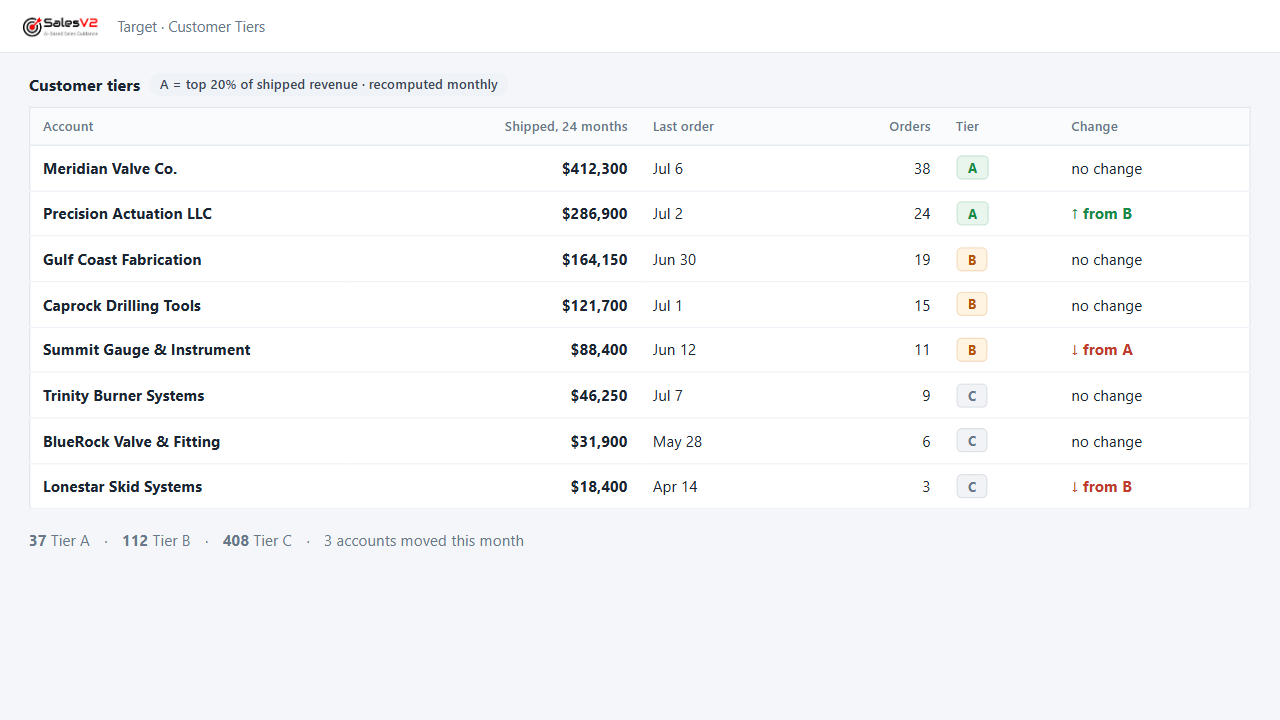
Tiers every account on what it has shipped, so the calls, the visits and the campaigns go to the right names first.
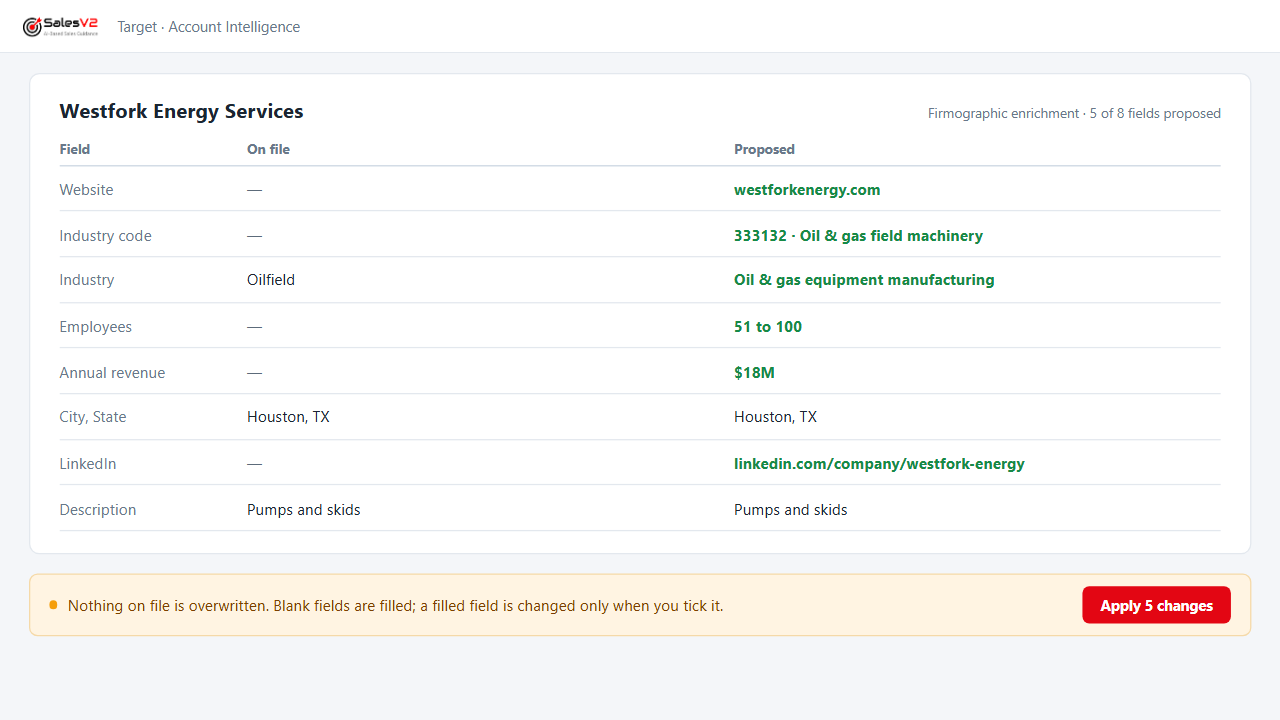
Adds revenue, headcount, industry code, website and LinkedIn to an account from public sources, and shows you what changed before it saves.
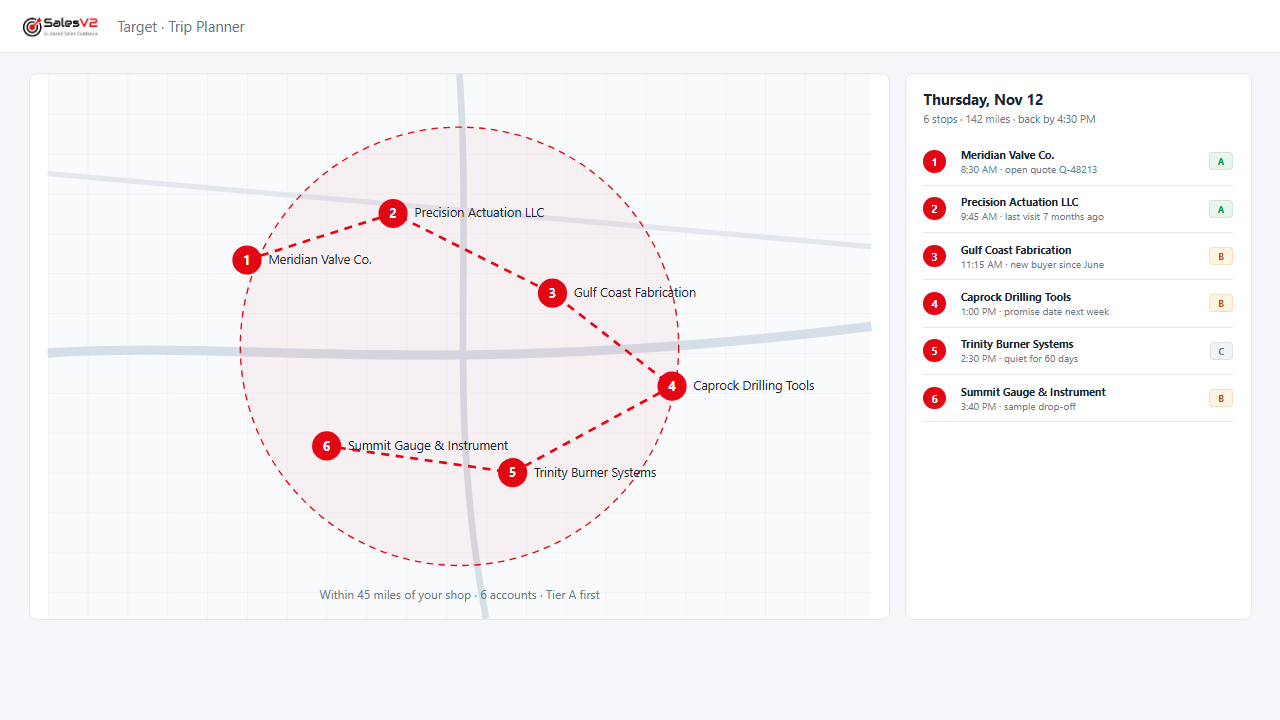
Puts your accounts on a map, picks the ones within reach of a trip and orders the day.
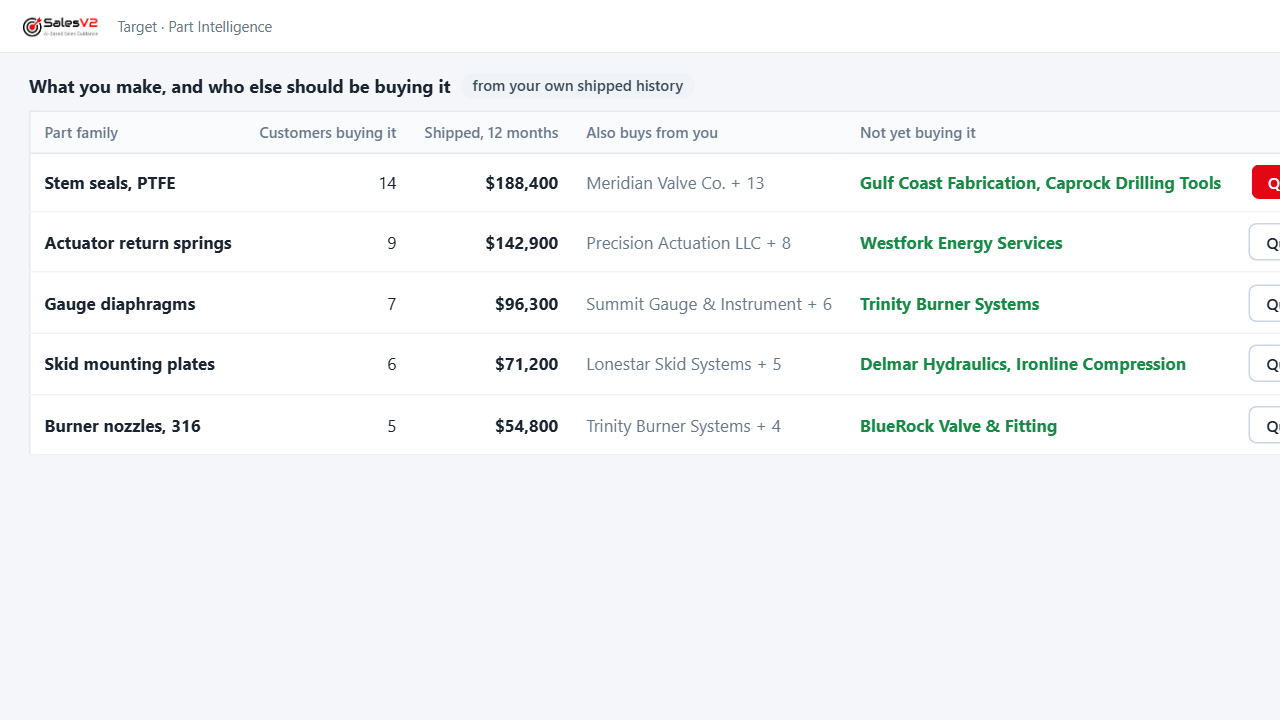
Looks across your order history for the part families each customer buys, so a new inquiry lands with the history beside it.
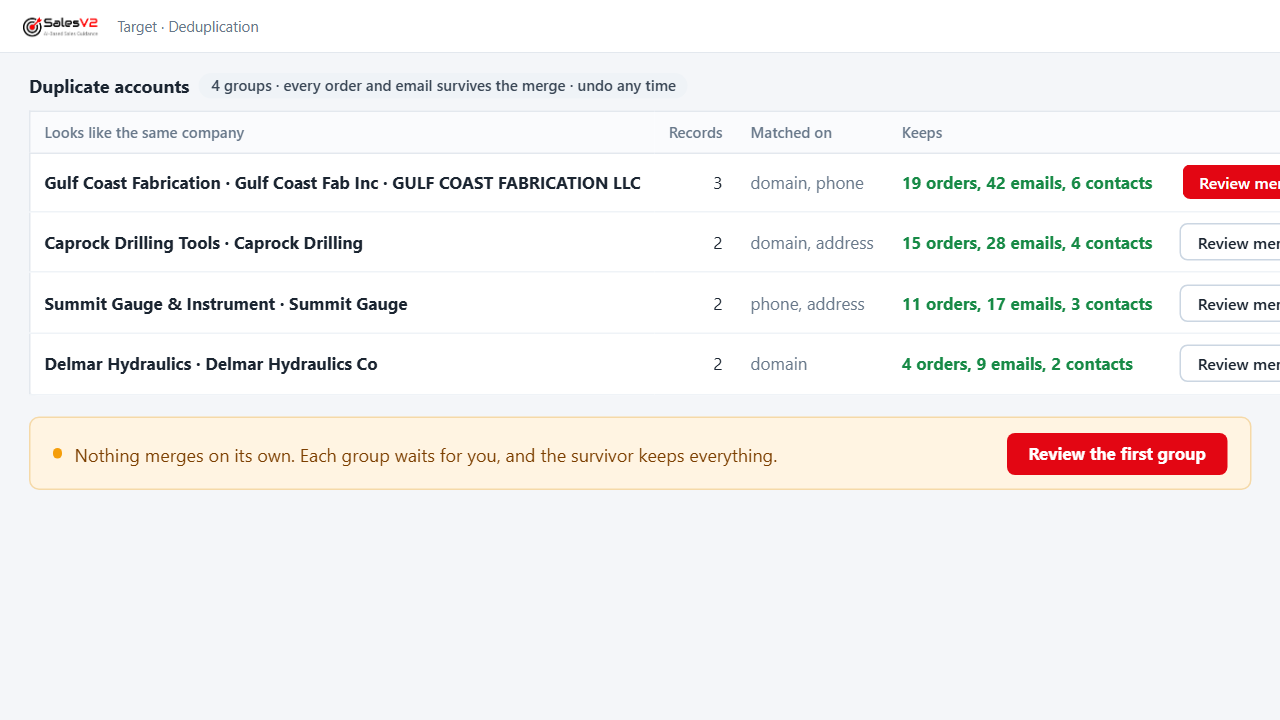
Finds the same company entered three ways, proposes the merge, keeps every order and email, and lets you undo it.
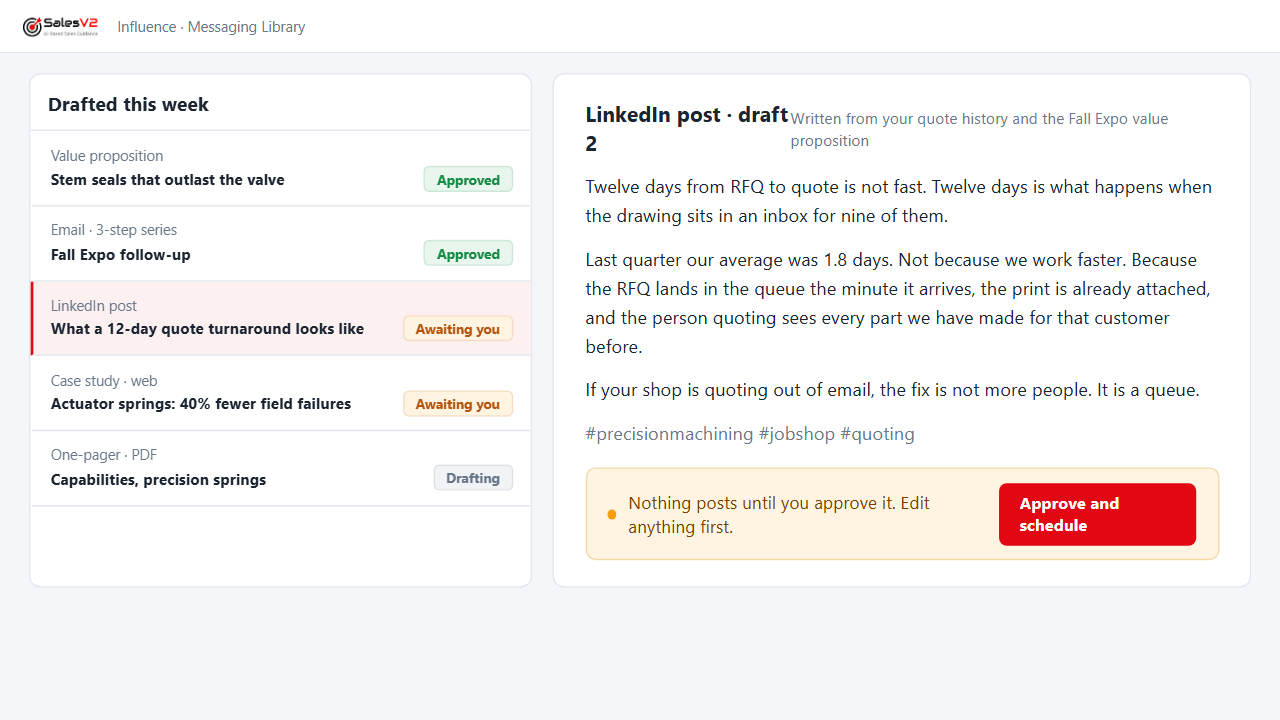
Drafts the value proposition, the email, the social post and the web case study from what you already sell; you edit, you approve.
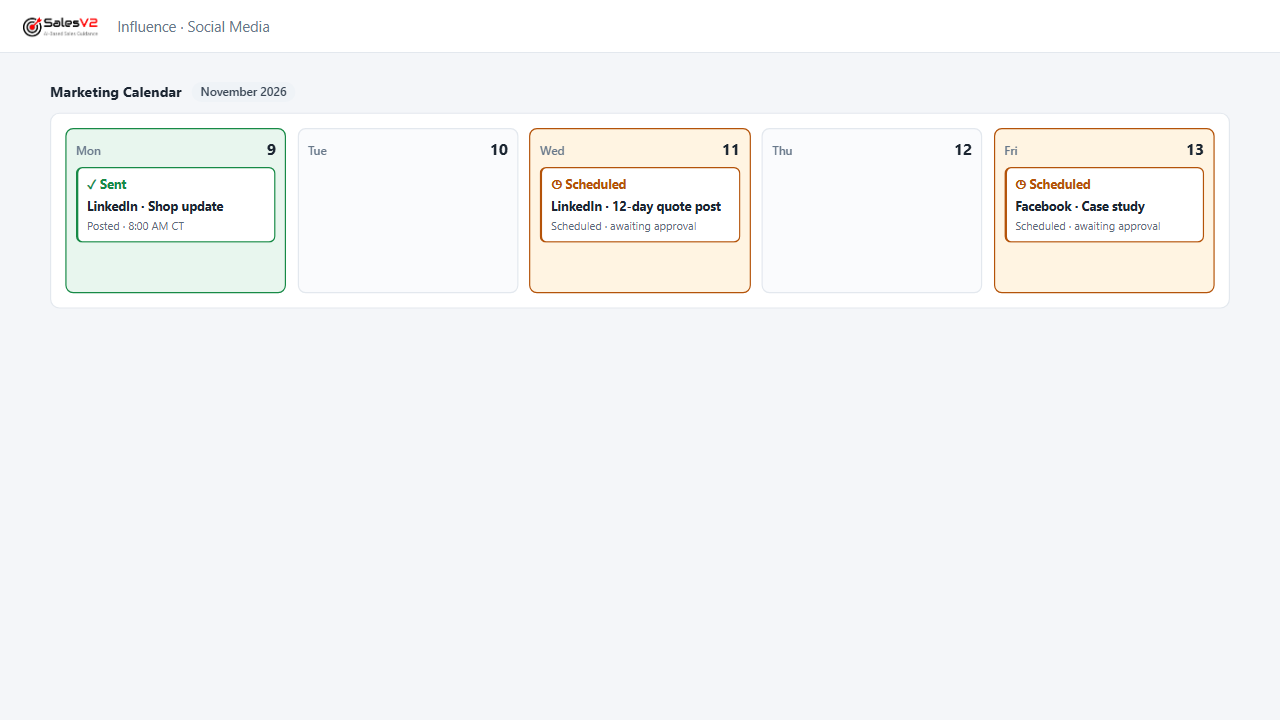
Schedules the posts across your channels from one calendar; every post waits for approval before it goes out.
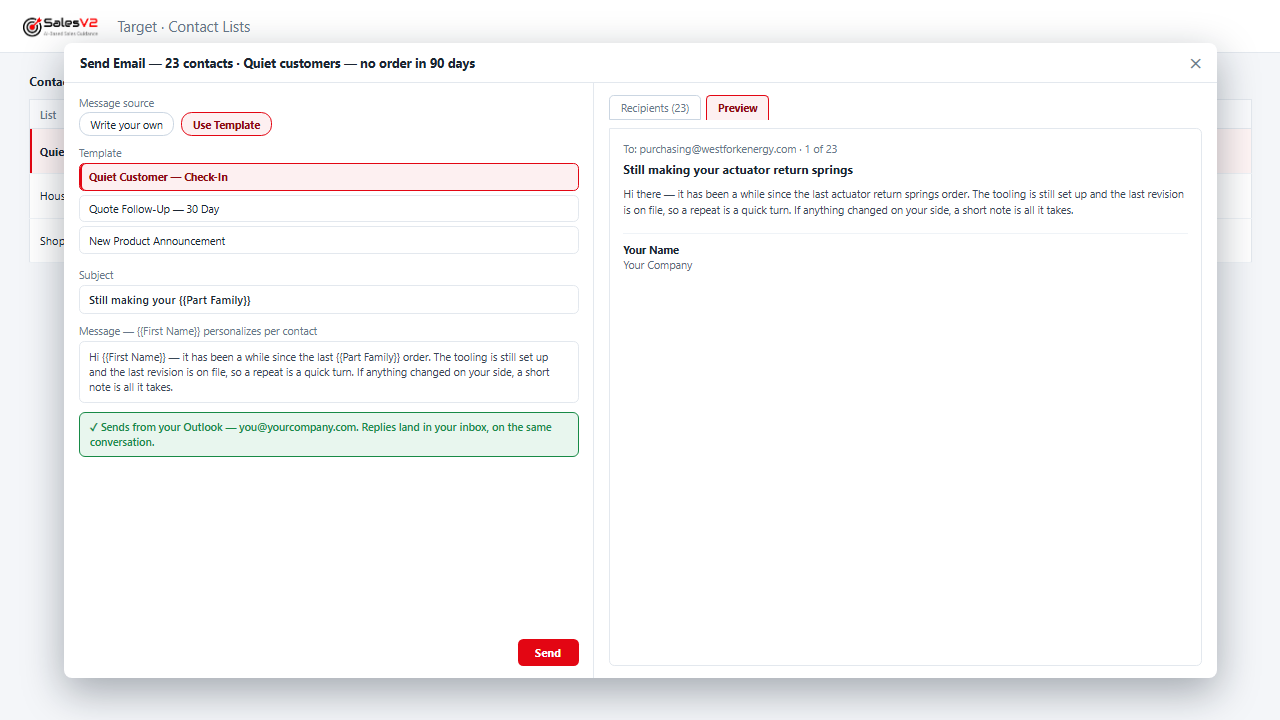
Finds the customers who stopped ordering, drafts the note that fits their history, and parks the campaign for your approval.
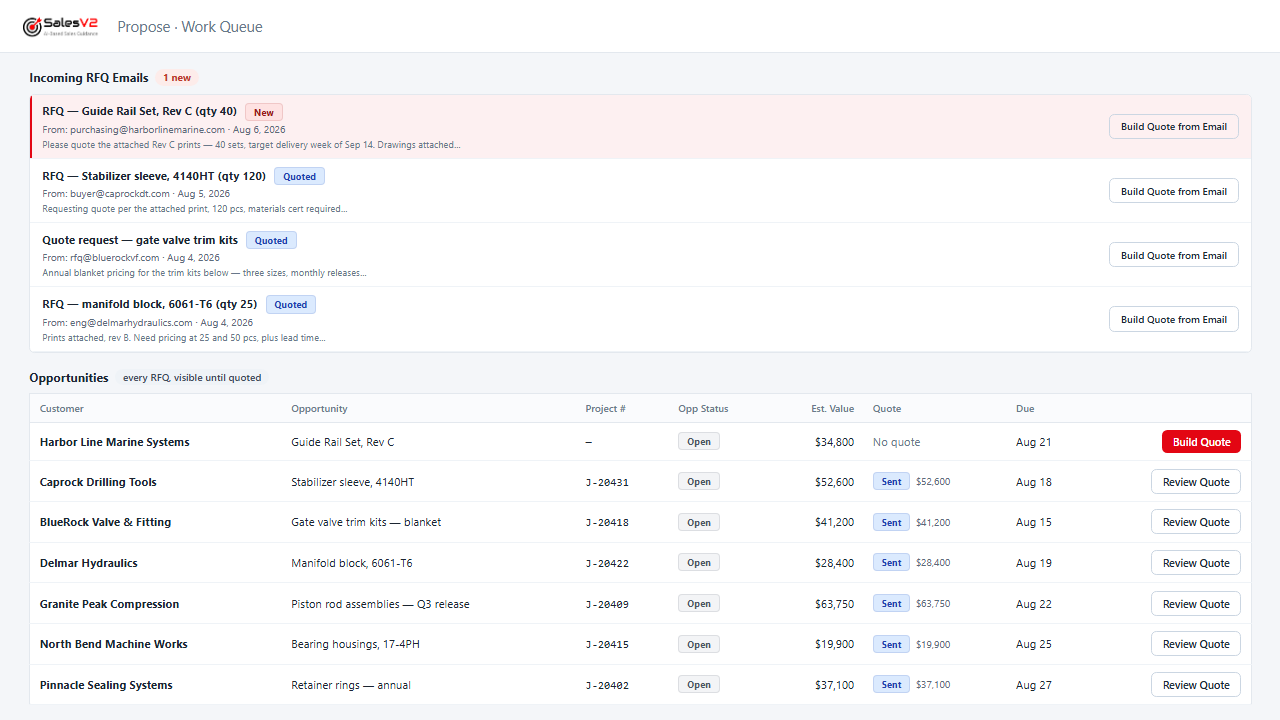
Reads the RFQ email, files it, assigns it and sends the acknowledgement under your rules, before anyone opens the inbox.
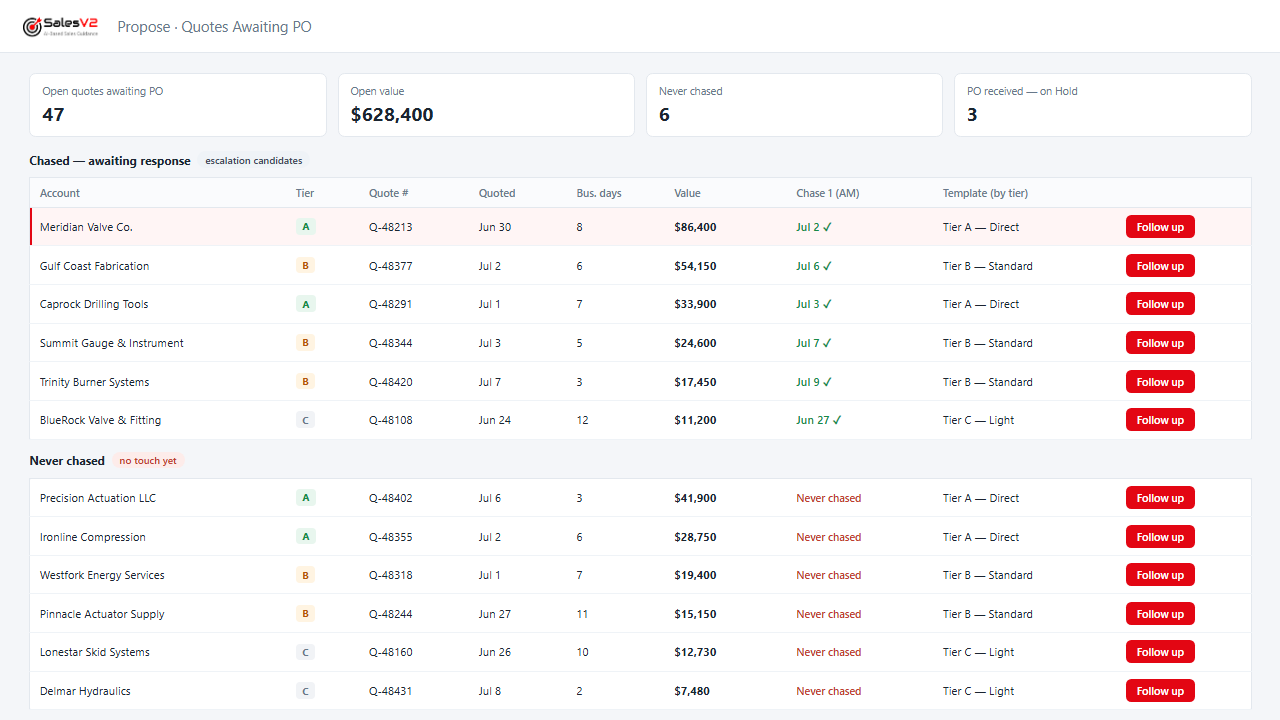
Lists every quote that never came back as a PO, drafts the follow-up, and sends it after you approve.
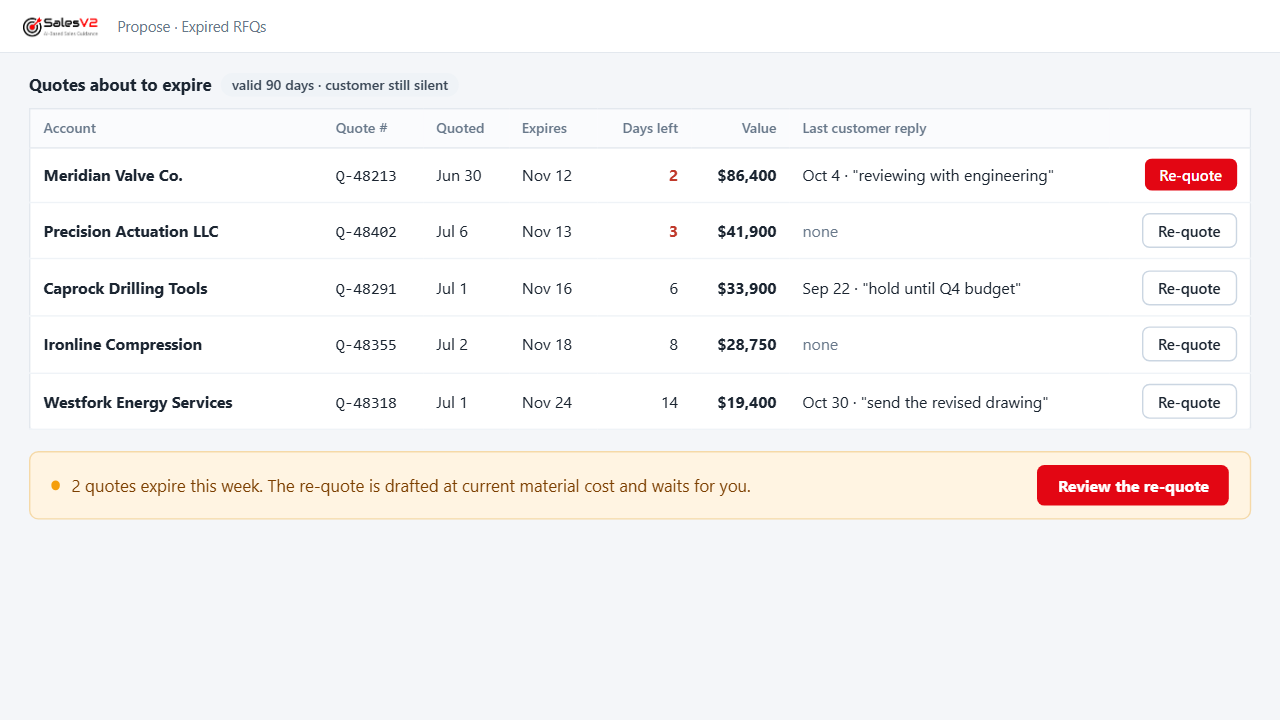
Flags the quotes reaching their expiry date with the customer still silent, so you re-quote before you lose them.
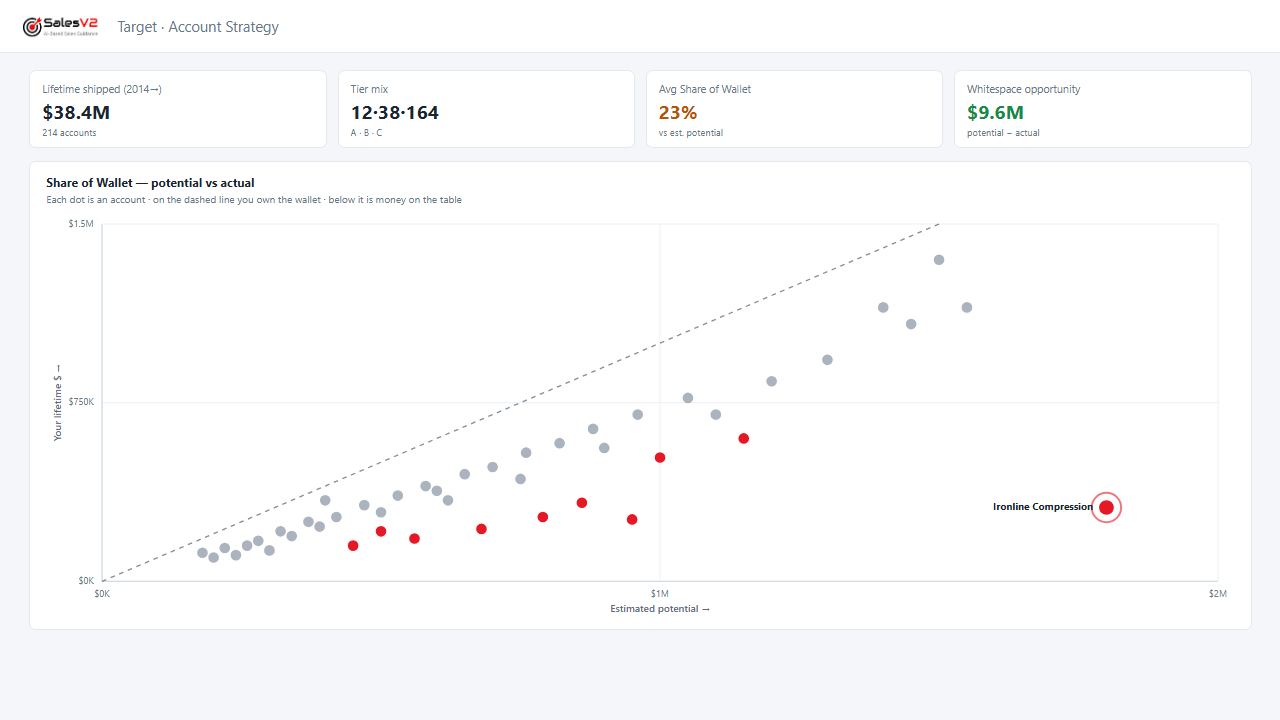
Shows what each customer buys from you and what they buy from someone else that you already make.
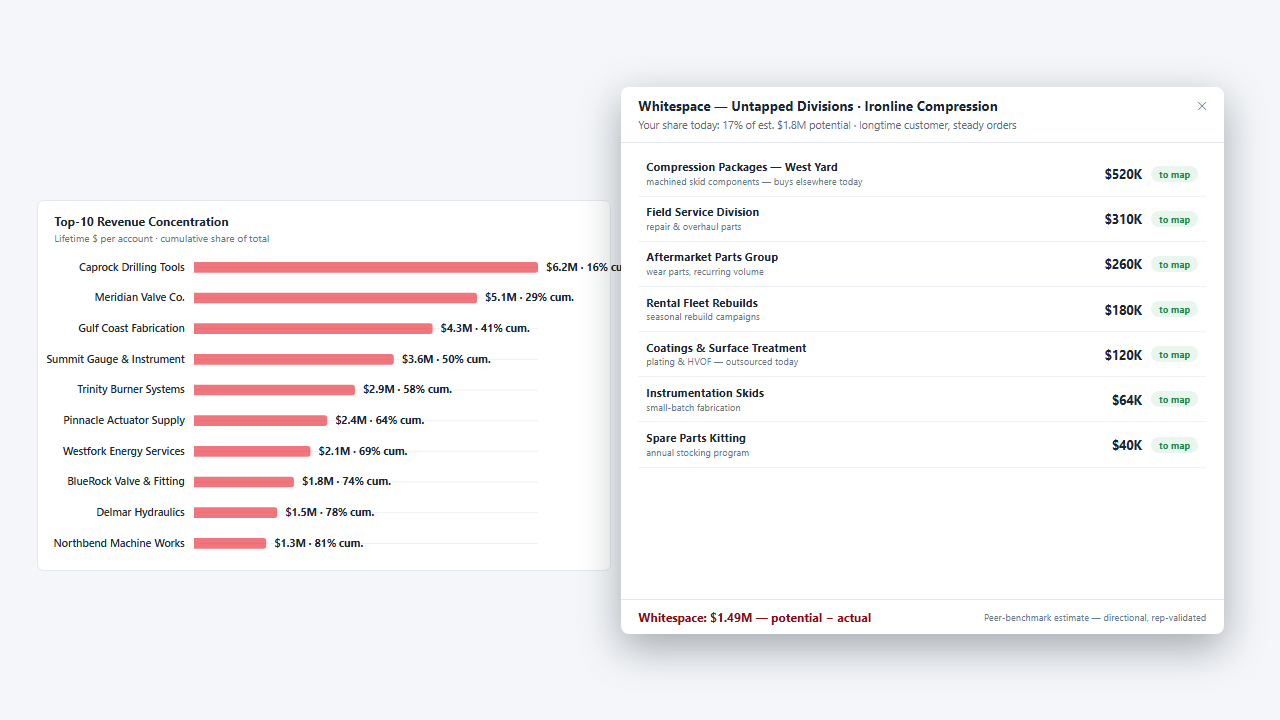
Maps the sister plants and group companies of a customer you already ship to, finds the people, drafts the note and parks the campaign.
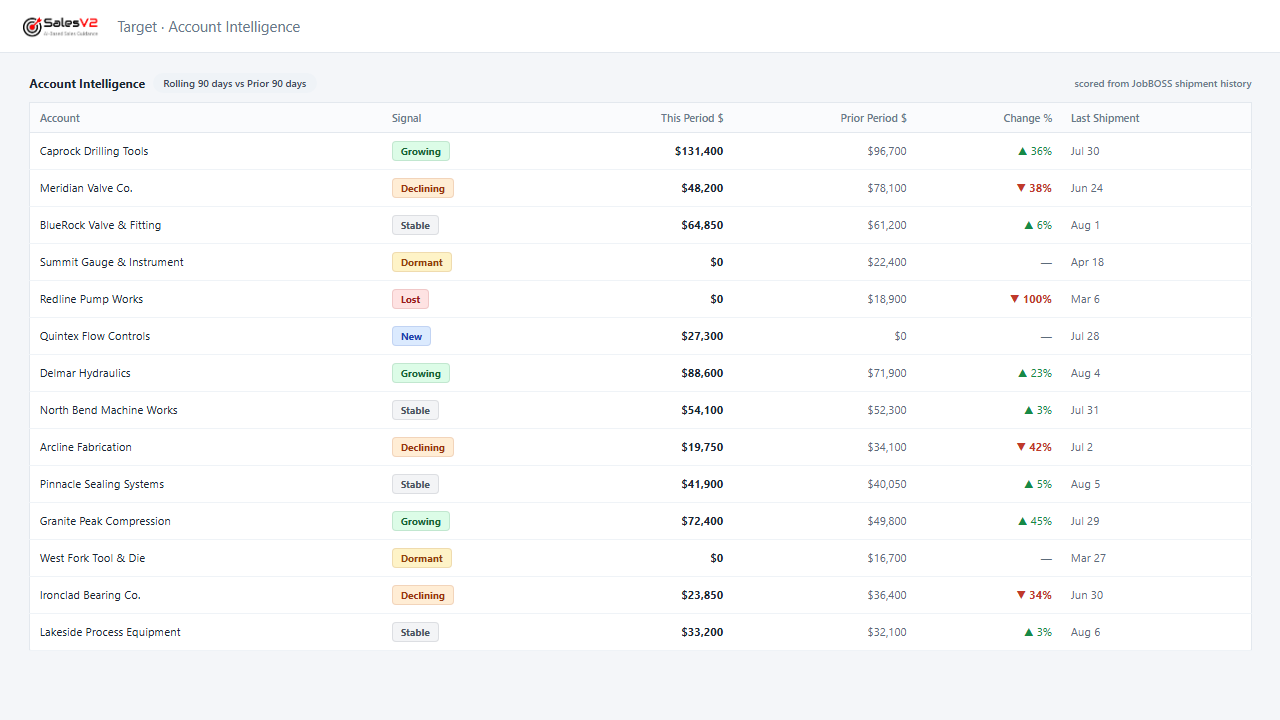
Flags the account whose orders are tapering off while a phone call can still turn it around.
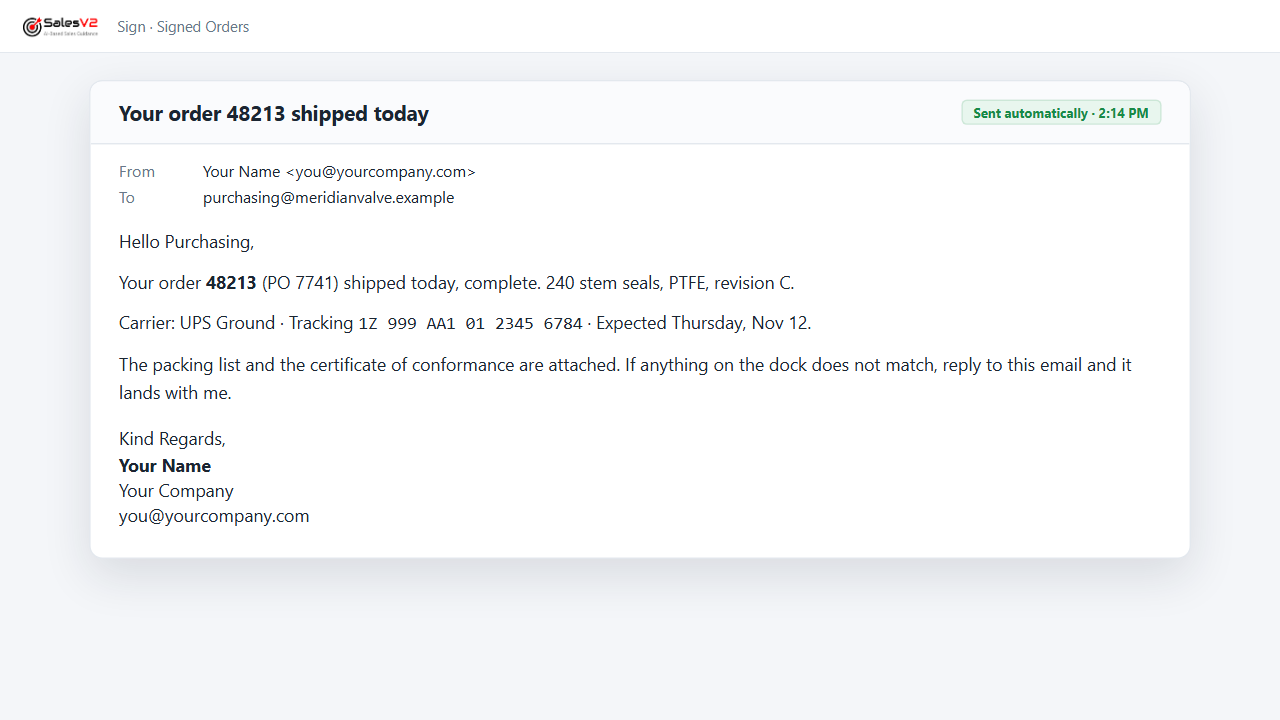
Sends the tracking notice the moment the shipment leaves, signed by the person they know.
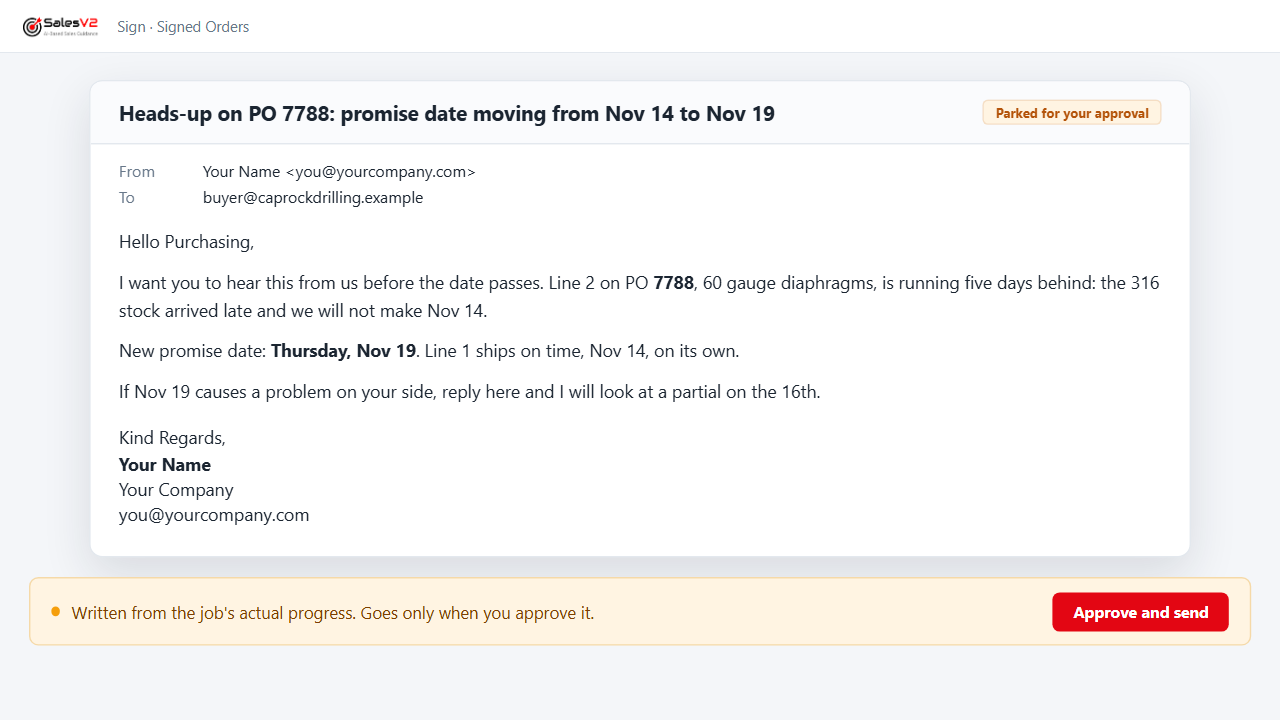
Watches promise dates against the shop’s progress and warns the customer’s buyer before the date passes, not after.
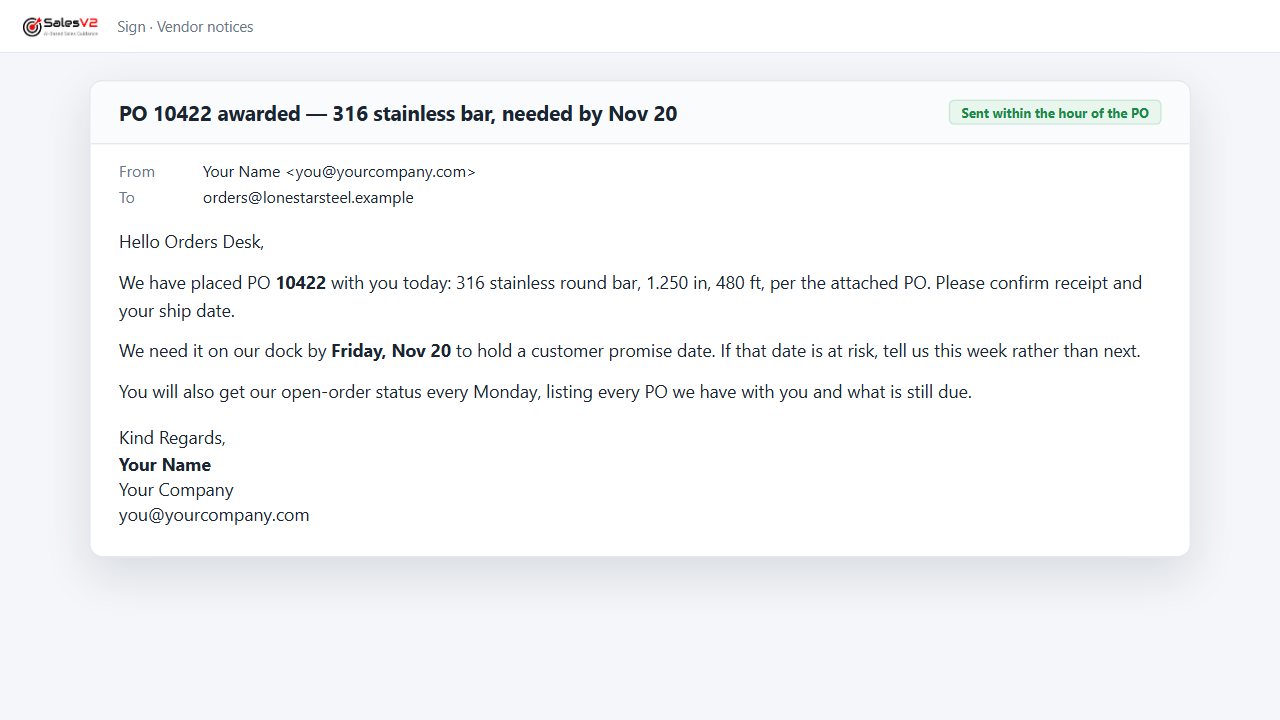
Sends the PO award to the vendor within the hour and the open-order status every week, from your purchasing data.
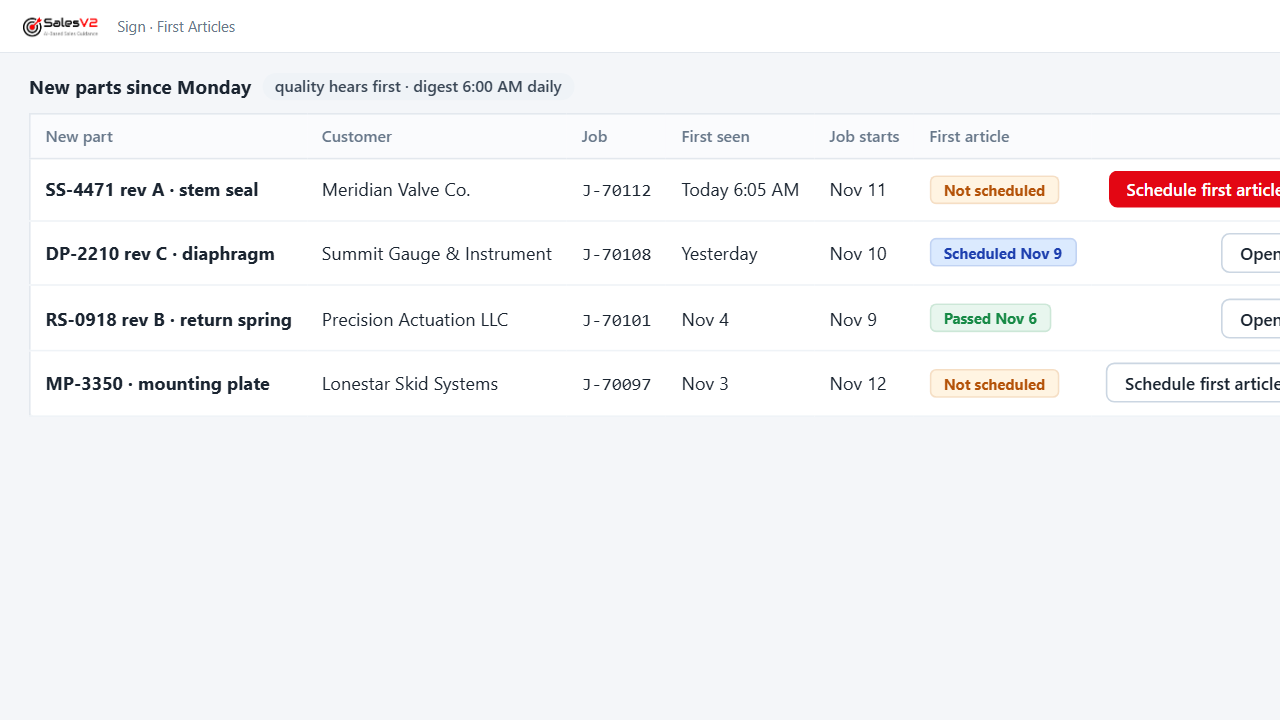
Tells quality about every new part before the job starts and keeps the first-article queue current.
AI agents that stop at your desk. Nothing reaches your customer without you.
Nineteen plays. Every one of them parks its result for your approval before anything is sent. Mock-ups use fictional companies and data.
Questions shop owners ask
Is SalesV2 an alternative to the JobBOSS CRM module from ECI?
For growing sales, yes. ECI describes JobBOSS CRM as a customer dashboard and task system inside JobBOSS: log calls, schedule appointments, track tasks, see the quote pipeline and which customers matter most. SalesV2 starts where that stops. It finds new customers like your best ones, adds the accounts and contacts to go after, wins back quiet customers, answers RFQs and chases quotes to PO, emails reports to people who never log in, and publishes your finished work to the website and LinkedIn. Every note waits for your approval. You keep JobBOSS exactly as it is.
Does SalesV2 replace JobBOSS?
No. JobBOSS stays your shop system. SalesV2 reads it and never changes your JobBOSS data. It adds the sales side JobBOSS does not have.
What can SalesV2 do that JobBOSS cannot?
Add customers you do not have yet. JobBOSS knows the shops that already buy from you. SalesV2 finds companies like your best ones, with revenue, industry and the right people, builds the target list and drafts the first email. It also finds the divisions and sister plants of current customers you are not selling to, and what customers buy elsewhere that you already make.
What is TIPS?
The sales method built into SalesV2: Target the right accounts, Influence them before they ask, Propose by answering every RFQ and chasing every quote, Sign and keep them. Every play belongs to one of those four stages, so an owner with no sales team still runs a complete sales process, one approved step at a time.
Can people who are not users get the reports?
Yes. Reports are emailed on a schedule to whoever needs them: open quotes to the owner, new RFQs to the estimator, late POs to purchasing, the pick list to the stockroom, shipping notices and promise-date warnings to customers, order status to vendors. None of them need a login.
Why not connect Salesforce, HubSpot or Zoho to JobBOSS instead?
You can; connectors such as Commercient sync JobBOSS customers, quotes and orders into those CRMs. You then own two systems, a connector subscription and a CRM that still needs someone to prospect, write and follow up. SalesV2 comes with the plays already built for a job shop and nothing to configure.
Does it work with JobBOSS² and with on-premises JobBOSS?
Both. JobBOSS² in the cloud and the on-premises JobBOSS many shops still run. Most shops are live within a day.
What does it cost?
A monthly price per shop, with a low-cost viewer seat for estimators and the shop floor. Book twenty minutes and we will quote it for your shop.
See the plays run on your own JobBOSS data
Twenty minutes, your shop, your numbers. We reply within one working day with two times.